




 GPro 100W
 GA 100W
 GM Pro 60W
 Reno 65W
 Reno 65W Pro
 Reno 45W

Power Meets Craft Monport 65W Laser Tools to Engrave Wood Like a Pro
8%
off
Hurry! Offer Ends Soon!
CODE: AUBLOG888
COPY
CODE
CODE
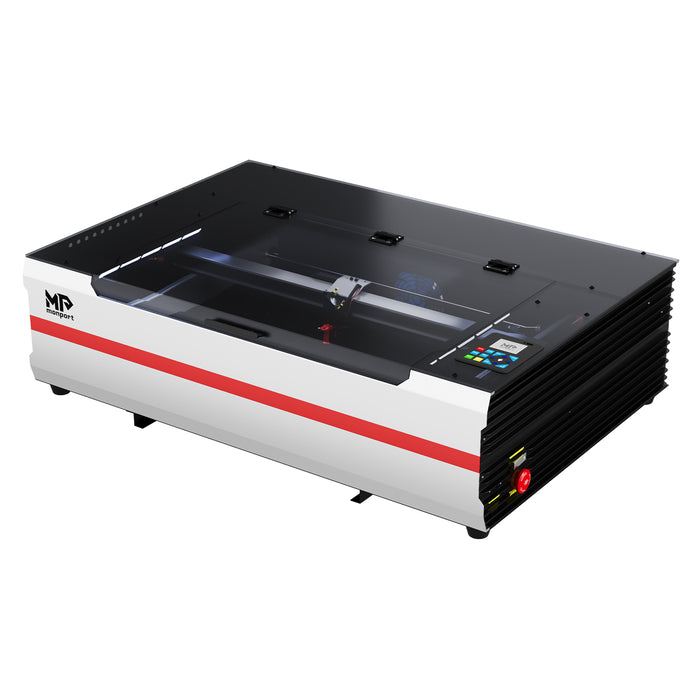
Getting into laser engraving isn’t just about buying any machine and hoping it works out. You need something that actually performs, something reliable day in day out. That’s where the monport 65W CO2 laser steps in. It’s built for makers who want clean results without overcomplicating things. Whether you're running a small Aussie workshop or just building your craft at home, having solid tools to engrave wood changes how you work completely. This guide walks you through what this machine does, how it performs, and why the monport 65W CO2 laser is becoming a favourite for serious wood engraving.

Why the Monport 65W CO2 Laser Stands Out
There’s a lot of desktop engravers out there, but most feel limited once you start pushing them. The monport 65W CO2 laser doesn’t feel like that. It’s compact, yeah, but it’s powerful enough to handle real projects.
You’re getting a machine designed after months of refinement, not rushed design. That matters when you're relying on tools to engrave wood for consistent output.
Built for Real Work
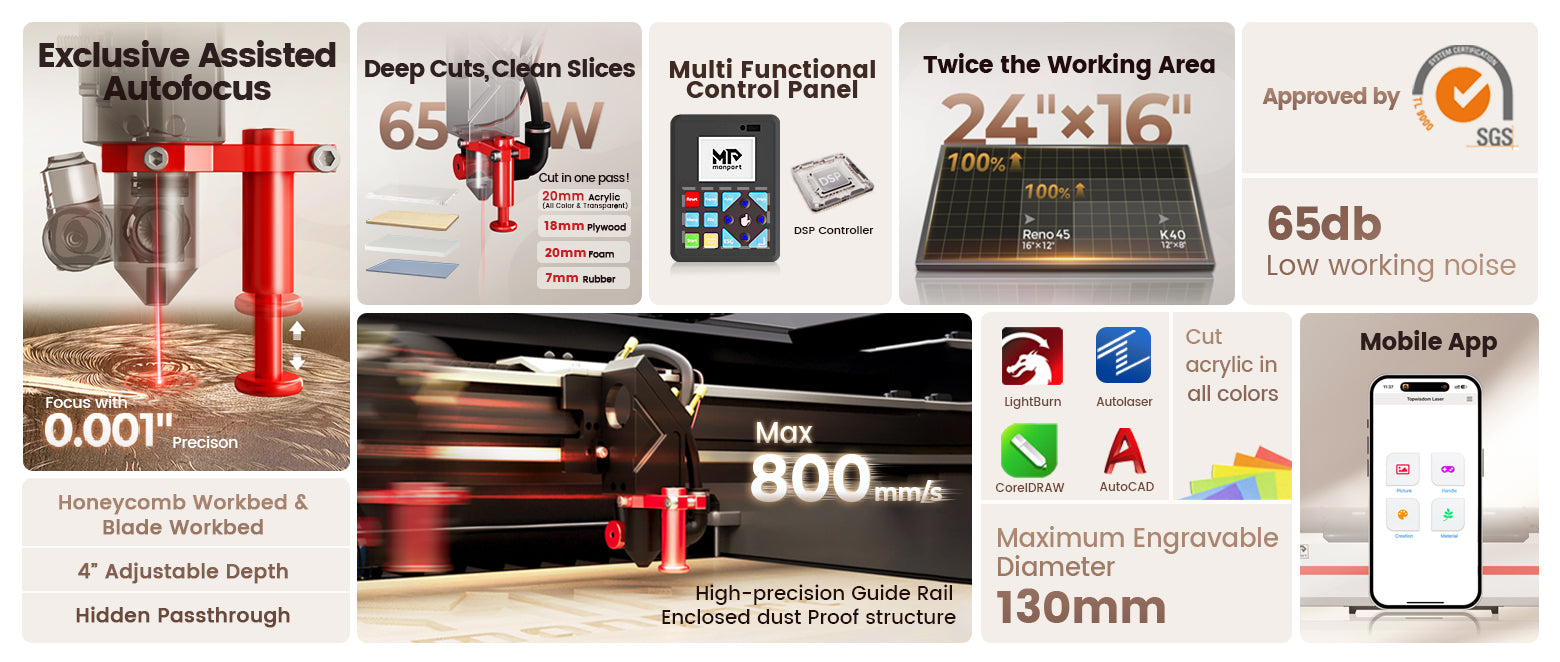
The monport 65W CO2 laser gives you a 24" x 16" working area, which is honestly generous for a desktop unit. You’re not stuck working on tiny pieces all the time.
It also includes a hidden front pass-through, so longer materials aren’t a problem. For anyone using tools to engrave wood in production, that flexibility is massive.
Key Specs That Actually Matter
Performance and Speed
Speed matters, especially if you’re doing repeat jobs. The monport 65W CO2 laser reaches up to 800mm/s, which keeps your workflow moving.
It’s not just fast, it stays stable too. That’s something you really notice when using proper tools to engrave wood instead of entry-level machines.
Work Area and Motion
-
Engraving area: 600 x 400mm
-
Z-axis movement: 100mm
-
Dual workbeds: honeycomb and blade
This gives you more control over different materials. Good tools to engrave wood should adapt, not limit what you can do.
Build and Lifespan
The laser tube runs around 4500 hours, which is decent for a desktop setup. The monport 65W CO2 laser is built to last, not just for short-term use.
Features That Make Work Easier
Magnetic Assisted Autofocus
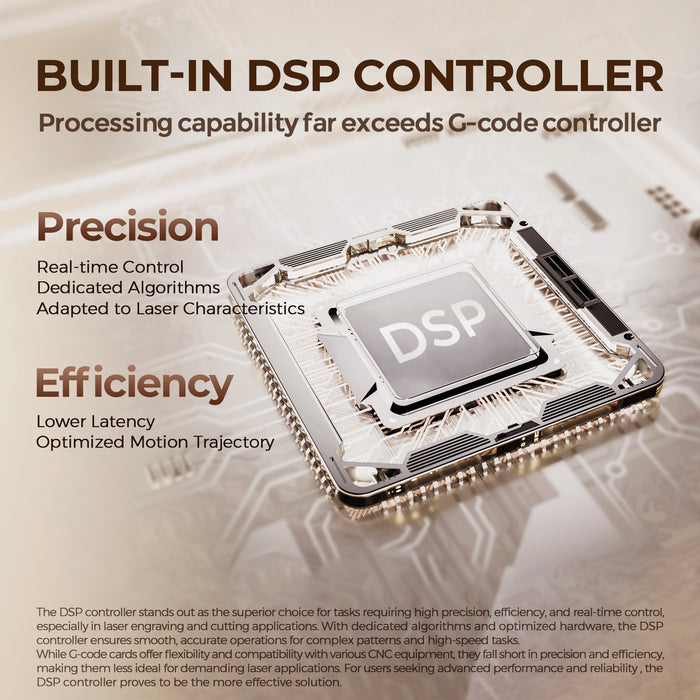
This is one of the standout features. The monport 65W CO2 laser uses magnetic feedback to help you focus quickly.
Even if you're new, you’ll get it sorted in seconds. That’s the kind of upgrade you want in modern tools to engrave wood.
Adjustable Air Assist
Different materials need different airflow. The monport 65W CO2 laser lets you adjust it, which helps reduce burn marks and improves cuts.
This small feature actually makes a big difference when using tools to engrave wood regularly.
Smart Control Panel
You get a built-in LCD control panel where you can:
-
Start or pause jobs
-
Adjust settings
-
Preview designs
That means less reliance on your computer. It’s practical, especially when working hands-on with tools to engrave wood.
Wide Compatibility
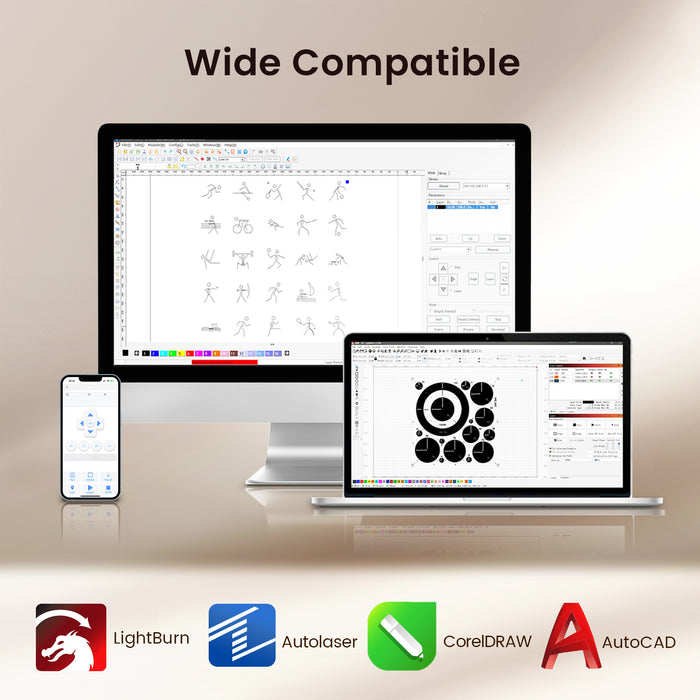
The monport 65W CO2 laser works with:
-
LightBurn
-
Autolaser
-
Multiple operating systems
It even supports WiFi and mobile control, which is honestly rare for machines in this range. Good tools to engrave wood should fit your setup, not force changes.
If you’re ready to level up your engraving game, now’s the time. Shop Now and experience the power of the monport 65W CO2 laser using code AUBLOG888 to save on your upgrade.
Real Performance on Wood
Clean Engraving Quality
The monport 65W CO2 laser produces sharp details and smooth finishes on wood surfaces. You won’t get those rough edges that cheaper machines leave behind.
That’s why investing in better tools to engrave wood actually pays off long term.
Strong Cutting Ability
This machine can cut through thicker materials with ease. Even up to 20mm acrylic, so wood is no issue at all.
Using the monport 65W CO2 laser, you’re not limited to light engraving only.
Consistent Output
Consistency is everything, especially for business. The monport 65W CO2 laser keeps results uniform across multiple runs.
That’s what separates professional-grade tools to engrave wood from the rest.
Designed for Efficiency

Lightweight but Powerful
Despite its compact build, the monport 65W CO2 laser packs serious performance. It’s easier to fit into smaller workshops without sacrificing capability.
For many users, this is the perfect balance in tools to engrave wood.
Advanced Motion System
The upgraded mechanism includes precision slides and optimised motors. That’s why it maintains speed without losing accuracy.
You’ll notice smoother engraving straight away with the monport 65W CO2 laser.
Safety and Reliability
Built-In Safety Features
The monport 65W CO2 laser includes multiple safety protections, ensuring safe operation during long sessions.
When you're using tools to engrave wood, safety should never be an afterthought.
Stable Cooling System
It uses an external water pump cooling system, keeping temperatures stable during operation.
That helps extend the life of your monport 65W CO2 laser and keeps performance consistent.
Who This Machine Is For
Ideal Users
-
DIY makers
-
Small business owners
-
Wood engraving enthusiasts
-
Workshop professionals
If you're regularly working with tools to engrave wood, this machine fits perfectly into your setup.
Not Ideal For
If you’re only doing occasional hobby projects, this might be more than you need. The monport 65W CO2 laser is built for consistent use.
Key Takeaways
-
The monport 65W CO2 laser balances power and compact design
-
Fast engraving speeds improve productivity
-
Magnetic autofocus simplifies setup
-
Adjustable airflow improves engraving quality
-
One of the most reliable tools to engrave wood for both hobby and business use
Conclusion
At the end of the day, your tools should make your work easier, not harder. The monport 65W CO2 laser does exactly that. It combines smart features, solid performance, and ease of use into one clean package. If you’re serious about improving your workflow or starting a proper engraving setup, investing in quality tools to engrave wood like this one makes sense. It saves time, improves results, and honestly just makes the whole process smoother.
Don’t settle for machines that hold you back.
Use code AUBLOG888 for exclusive discounts and get started today.
FAQs
What materials can the Monport 65W CO2 laser handle?
It works on wood, acrylic, leather, and more. It’s especially effective as tools to engrave wood.
Is it beginner-friendly?
Yes, the monport 65W CO2 laser includes easy controls and autofocus, making it simple to use.
Can it connect wirelessly?
Yes, it supports WiFi and mobile app control, which is a big advantage.
How fast is the engraving speed?
Up to 800mm/s, making it suitable for both small and bulk projects.
Is it good for business use?
Definitely. The monport 65W CO2 laser is one of the most practical tools to engrave wood for consistent production.
Discover More and Shop Now with code AUBLOG888 to upgrade your engraving setup today.


Leave a comment