



 GPro 100W
 GA 100W
 GM Pro 60W
 Reno 65W
 Reno 65W Pro
 Reno 45W

Best Laser Engraver for Wood: A Complete Woodworking Laser Engraver Guide
8%
off
Hurry! Offer Ends Soon!
CODE: AUBLOG888
COPY
CODE
CODE
Woodworking has changed a lot over the last few years. More people are now making custom signs, personalised gifts, furniture pieces, home décor, and even small business products using laser machines. Because of this, finding the best laser engraver for wood has become really important for hobby users and business owners alike.
A good woodworking laser engraver can save time, improve accuracy, and help create cleaner designs compared to manual carving tools. Whether you work with plywood, MDF, hardwood, bamboo, or acrylic mixed projects, the right machine can make a massive difference in daily production.
If you’re searching for the best laser engraver for wood, this guide breaks everything down in a simple and practical way. We’ll cover important features, cutting performance, engraving quality, beginner-friendly functions, and why many Australian makers are now choosing Monport machines for their workshops.

Why Woodworkers Are Using Laser Engravers More Than Ever
The demand for custom wood products keeps growing across Australia. Markets, Etsy shops, online businesses, and local gift stores all want personalised products.
A quality woodworking laser engraver allows users to create:
-
Wooden signs
-
Name plaques
-
Custom coasters
-
Wedding décor
-
Wooden earrings
-
Business logos
-
Furniture engravings
-
Layered wall art
-
Acrylic and wood mixed projects
The reason many people search for the best laser engraver for wood is because not every machine handles wood properly. Some struggle with thick cutting while others leave burn marks or inconsistent engraving.
That’s why choosing the correct machine from the start matters a lot.
What Makes the Best Laser Engraver for Wood?
Strong Laser Power
Power affects cutting depth and speed.
A weak machine may engrave fine but struggle cutting thicker wood materials. A stronger woodworking laser engraver gives cleaner cuts and faster production.
Machines around 40W–50W are usually ideal for small businesses and serious hobby workshops.
Fast Engraving Speed
Speed matters if you plan to sell products.
The best laser engraver for wood should complete jobs quickly while still keeping details sharp. Faster speeds mean more products finished each day.
Accurate Positioning
Good alignment prevents wasted materials.
Modern laser machines now include camera systems and smart positioning tools that help users place designs exactly where they want them.
Reliable Focus System
Focus controls engraving quality.
A poor focus system can create blurry details or uneven cuts. A quality woodworking laser engraver should make focusing easy for beginners too.
Software Compatibility
A good machine should work smoothly with popular software like:
-
LightBurn
-
CorelDRAW
-
Illustrator
-
AutoCAD
-
Inkscape
This gives more flexibility for designing projects.
Why Monport Is Becoming Popular Among Woodworkers
Many Australian creators are now paying attention to Monport because the company focuses heavily on performance, productivity, and easier operation.
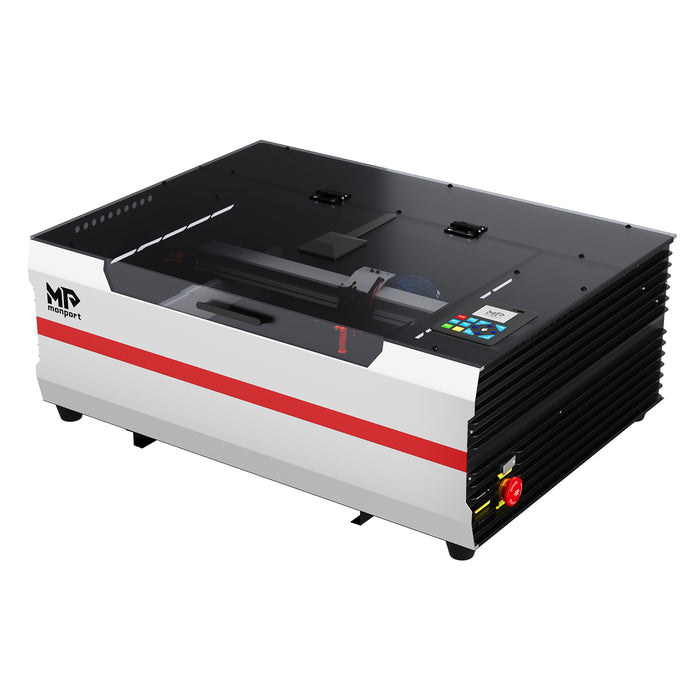
One standout model is the Monport Reno45 Pro Vision 45W Desktop CO2 Laser Engraver & Cutter.
This machine is built for users who want professional quality without needing a huge industrial setup.
The Monport Reno45 Pro Vision combines power, speed, precision, and smart automation in one compact desktop machine.
For anyone searching for the best laser engraver for wood, this machine ticks a lot of boxes.
Monport Reno45 Pro Vision Features Explained
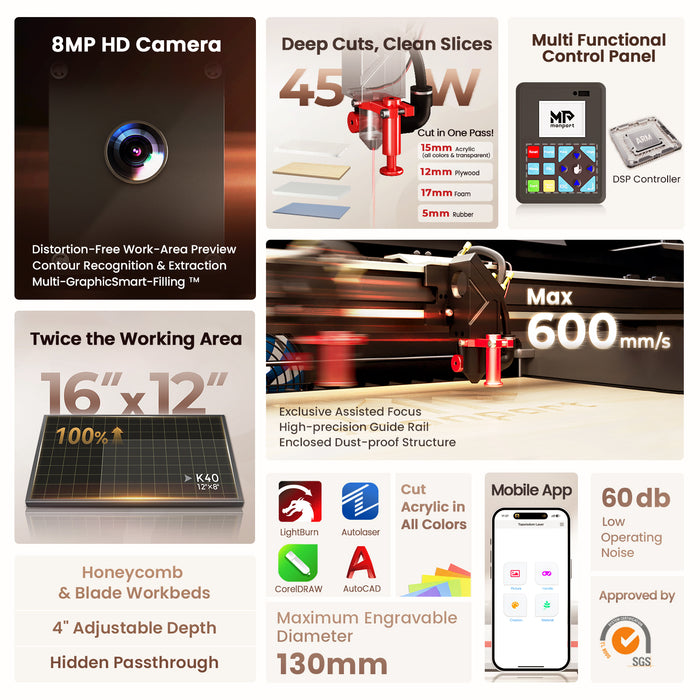
45W CO2 Laser Power
The Reno45 delivers much stronger cutting compared to basic entry-level K40 machines.
It can cut acrylic up to 15mm thick while also producing clean wood engravings with sharp details.
That’s one major reason many people consider it one of the best laser engraver for wood options currently available.
Large Working Area
The machine includes a 16” x 12” working area.
This size is practical for:
-
Signs
-
Wooden boards
-
Coasters
-
Batch production
-
Decorative projects
A larger workspace helps reduce repositioning during bigger projects.
Extremely Fast 600mm/s Speed
Speed matters for businesses.
The Reno45 reaches engraving speeds up to 600mm/s thanks to Monport’s upgraded mechanism, lightweight design, and precision motion system.
This helps the woodworking laser engraver finish jobs faster without sacrificing quality.
Smart Camera Features Make Things Easier
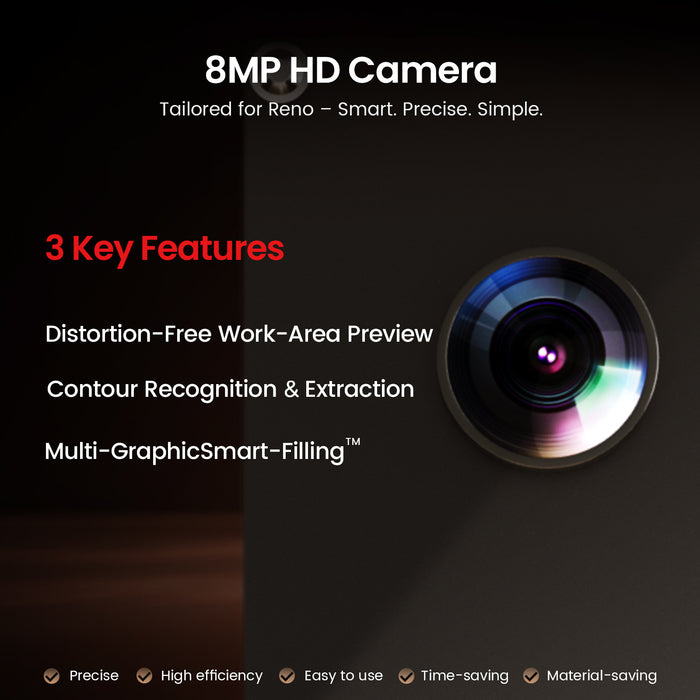
One of the biggest highlights is the built-in 8MP HD camera system.
Distortion-Free Preview
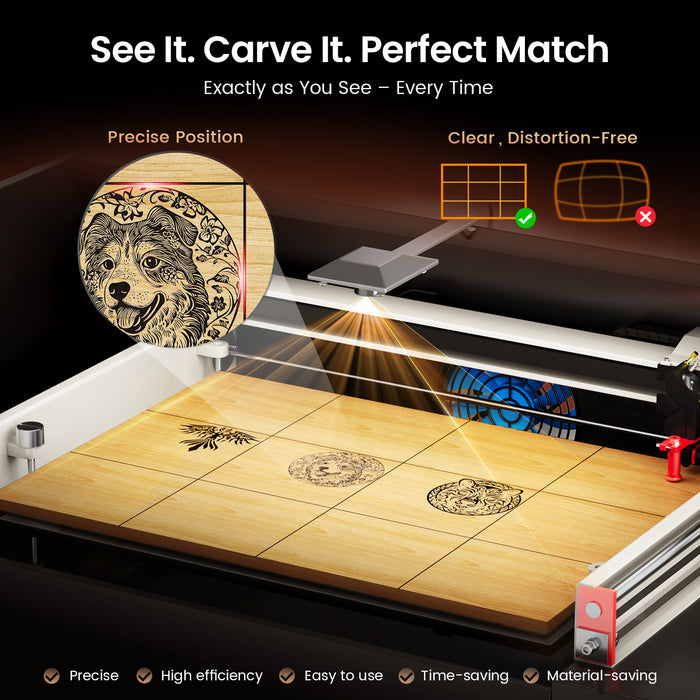
The panoramic camera gives users a clear work-area preview for better positioning.
You can place leftover wood pieces inside the machine and reuse them accurately instead of wasting materials.
That’s incredibly useful for small businesses trying to maximise profits.
Contour Recognition
The camera automatically recognises outlines and generates borders.
This reduces manual setup time and helps improve workflow efficiency.
For many creators searching for the best laser engraver for wood, smart automation like this becomes a huge advantage.
Multi-Graphic Smart Filling Technology
This feature is honestly very impressive.
The camera scans materials within 3 seconds and automatically batch fills patterns across different shapes at the same time.
You can even save templates for future projects.
For production work, this saves heaps of time.
Magnetic Assisted Focus Improves Accuracy
Monport added an industry-exclusive magnetic assisted focus system.
Instead of complicated manual adjustments, users can focus the laser quickly and accurately in just seconds.
This helps beginners avoid mistakes while still giving professionals precise engraving quality.
A reliable focus system is one reason the Reno45 performs well as a woodworking laser engraver.
Better Design for Daily Use
Monport also improved the machine’s overall usability.
Some upgrades include:
-
Added handles
-
Reduced light leakage
-
Adjustable air assist
-
Improved rotary positioning
-
Better operational convenience
These small improvements actually make daily use smoother and less frustrating.
That matters when using the machine for long production sessions.
Best Materials for a Woodworking Laser Engraver

The best laser engraver for wood should work with multiple materials.
The Reno45 handles:
-
Plywood
-
MDF
-
Hardwood
-
Bamboo
-
Leather
-
Acrylic
-
Cardboard
-
Rubber
-
Cork
Different woods create different engraving finishes too.
For example:
Plywood
Affordable and easy to engrave.
Perfect for signs and layered art.
Hardwood
Creates premium-looking dark engravings.
Great for luxury products.
Bamboo
Very popular for eco-friendly products.
Excellent for kitchenware and gifts.
If you’re serious about upgrading your workshop, the Monport Reno45 Pro Vision is definitely worth checking out. Its smart camera system, strong cutting ability, and fast engraving speeds make it a powerful option for creators and businesses.
Shop Now and discover why many users consider Monport the best laser engraver for wood. Use blog code AUBLOG888 for exclusive discounts.
Tips for Choosing the Right Woodworking Laser Engraver
Think About Your Project Size
Small crafts need less workspace.
Business production usually needs larger work areas and faster speeds.
Consider Future Growth
A cheap machine may save money now but become limiting later.
Investing in a quality woodworking laser engraver often saves more money long term.
Look for Easy Maintenance
Good airflow, accessible parts, and stable systems reduce downtime.
Choose Reliable Software Compatibility
Machines compatible with LightBurn usually offer smoother workflows.
Common Mistakes Buyers Make
A lot of beginners buy based only on price.
That usually leads to:
-
Weak cutting
-
Slow speeds
-
Poor engraving quality
-
Frustrating setup
-
Constant calibration problems
The best laser engraver for wood should balance affordability with long-term performance.
Another mistake is buying machines with no camera positioning or poor focus systems.
These features genuinely improve efficiency.
Who Should Buy the Monport Reno45 Pro Vision?
This machine suits:
-
Etsy sellers
-
Small businesses
-
Home workshops
-
Side hustlers
-
Professional woodworkers
-
Personalised gift makers
-
Sign creators
The Reno45 is especially useful for people doing batch production because of its smart camera features.
That’s why many users now recommend it as a reliable woodworking laser engraver for growing businesses.
Key Takeaways
-
The demand for laser woodworking keeps growing across Australia
-
Choosing the best laser engraver for wood improves productivity and engraving quality
-
Strong laser power helps with thicker cutting and cleaner finishes
-
Fast engraving speed matters for business efficiency
-
Smart camera systems reduce setup time and material waste
-
The Monport Reno45 Pro Vision offers advanced features usually found in more expensive machines
-
Magnetic assisted focus makes operation easier for beginners and professionals
-
A reliable woodworking laser engraver should support multiple materials and software programs
Conclusion
Finding the best laser engraver for wood really depends on your workflow, project goals, and production needs. But if you want a machine that combines speed, precision, strong cutting performance, and beginner-friendly operation, the Monport Reno45 Pro Vision stands out strongly in today’s market.
Its 45W CO2 laser power, 8MP smart camera system, contour recognition, magnetic assisted focus, and fast 600mm/s engraving speed make it a serious machine for creators who want professional-level results.
Whether you’re starting a small business or upgrading your workshop, investing in a high-quality woodworking laser engraver can help you create better products faster and with less stress.
Discover More and upgrade your workshop with Monport today. Don’t forget to use blog code AUBLOG888 for exclusive discounts and savings.
Use blog code AUBLOG888 for exclusive Monport discounts.
FAQs
What is the best laser engraver for wood for beginners?
A beginner-friendly machine should include easy focusing, good software support, and reliable positioning features. The Monport Reno45 Pro Vision is popular because it simplifies many setup processes.
Can a woodworking laser engraver cut thick wood?
Yes. Stronger CO2 laser machines can cut thicker materials more effectively. The Reno45 can even cut acrylic up to 15mm thick.
Is LightBurn compatible with Monport machines?
Yes. The Reno45 supports LightBurn Pro Version along with other software options.
What wood works best for laser engraving?
Plywood, bamboo, MDF, and hardwood are all commonly used. Hardwood often creates the richest engraving contrast.
Why is camera positioning important in a laser engraver?
Camera positioning improves alignment accuracy, reduces waste, and speeds up setup time, especially during batch production tasks.


Leave a comment