




 GPro 100W
 GA 100W
 GM Pro 60W
 Reno 65W
 Reno 65W Pro
 Reno 45W

How to Master Leather for Engraving Using Cutting and Engraving Laser Machines at Home
8%
off
Hurry! Offer Ends Soon!
CODE: AUBLOG888
COPY
CODE
CODE
Working with leather for engraving at home can feel a bit tricky at first, but once you get the hang of it, it becomes one of the most satisfying materials to work with. A cutting and engraving laser opens up a whole new level of detail, letting you create clean lines, custom designs, and even small business-ready products right from your workspace. If you’re just starting or trying to improve, this guide will walk you through everything you need to know about handling leather for engraving using a cutting and engraving laser the right way.
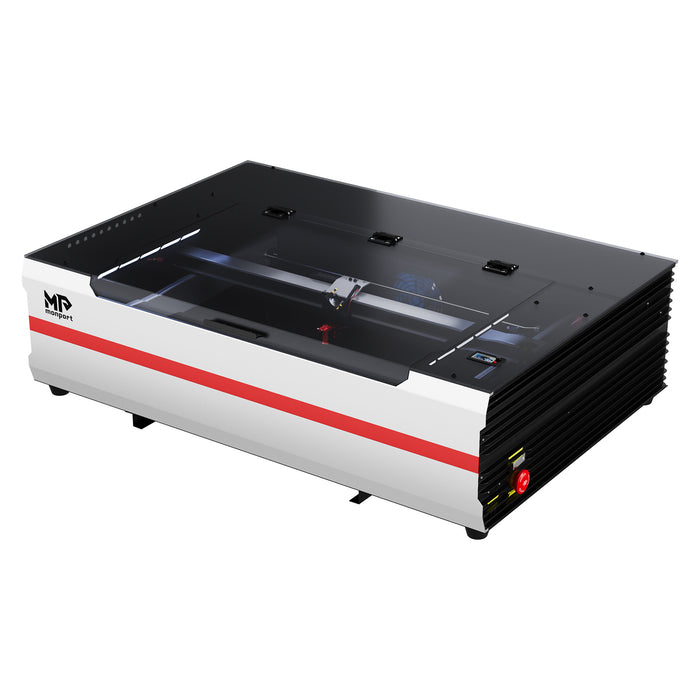
Monport Reno65 65W Desktop CO2 Laser Engraver & Cutter (24" X 16") with Magnetic Assisted Autofocus

Why Leather Works So Well with Laser Machines
Leather is one of those materials that reacts nicely to heat-based tools. When using a cutting and engraving laser, the surface burns slightly, creating contrast that looks natural and premium.
There’s a few reasons why leather for engraving is popular:
-
It produces rich, dark engravings without extra ink
-
It smells strong during cutting, but the finish looks high-end
-
It’s flexible, so you can make wearable or foldable items
-
It handles both engraving and cutting in one pass
Still, not all leather for engraving behaves the same. That’s where technique matters.
Choosing the Right Leather for Engraving
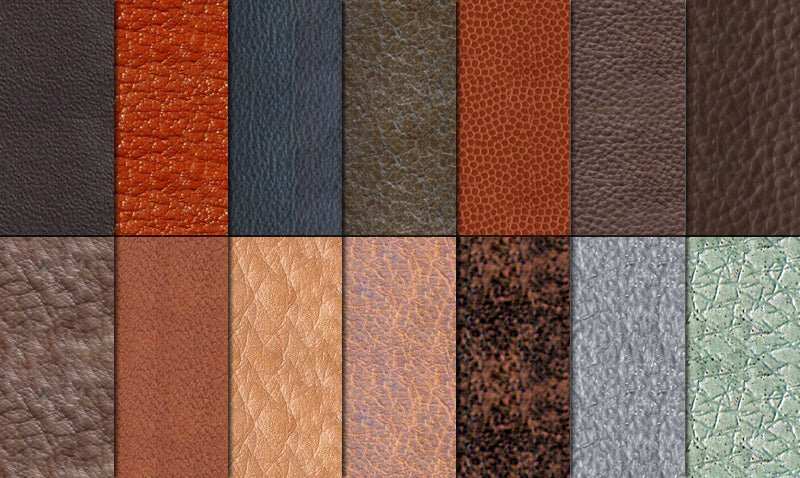
Before you even turn on your cutting and engraving laser, you need to pick the right type of leather. This step alone can make or break your results.
Natural vs Synthetic Leather
Natural leather for engraving (like vegetable-tanned leather) is the best option. It engraves clean and gives a nice contrast.
Avoid chrome-tanned leather when using a cutting and engraving laser. It can release harmful fumes and often gives uneven results.
Synthetic leather can work, but:
-
It may melt instead of engrave
-
Edges can look messy
-
Results are less consistent
Thickness Matters
When working with leather for engraving:
-
Thin leather (1–2 mm) is good for detailed engraving
-
Medium leather (2–4 mm) works well for both engraving and cutting
-
Thick leather needs more power from your cutting and engraving laser
Always test first. Every piece reacts a bit differently.
Setting Up Your Cutting and Engraving Laser at Home

Getting your machine set up right is half the job. Even the best leather for engraving won’t look good if your settings are off.
Power and Speed Settings
You want balance, not too strong, not too light.
-
Too much power burns too deep
-
Too little power gives faint marks
-
Speed affects clarity
For leather for engraving, start with medium power and adjust slowly.
Air Assist is Important
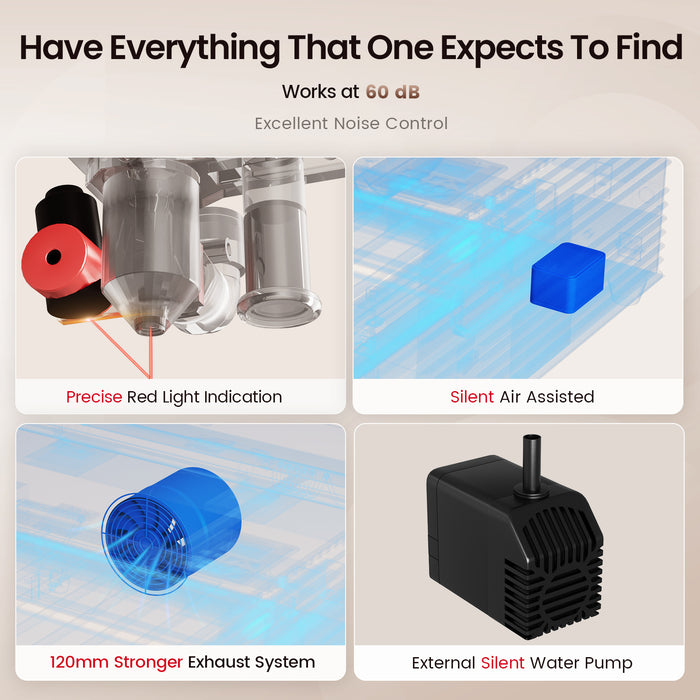
Air assist helps keep the surface clean. With a cutting and engraving laser, it reduces charring and improves edge quality.
Adjustable air assist is even better, especially when switching between cutting and engraving.
Ventilation
Leather produces smoke. Always make sure your cutting and engraving laser is in a well-ventilated area.
If you’re serious about getting clean results with leather for engraving, using a reliable machine really matters. The right cutting and engraving laser can save you time, reduce mistakes, and give you pro-level output even at home. Discover More about high-performance machines and upgrade your setup today using the exclusive code AUBLOG888.
Why Monport Reno65 is a Strong Choice for Leather Projects

When it comes to working with leather for engraving, not all machines are equal. The Monport Reno65 stands out for both beginners and experienced users.
Strong Power and Clean Cuts
With 65W power, this cutting and engraving laser can handle thicker leather easily. It cuts clean edges and engraves with solid depth, even on dense leather for engraving.
Fast and Efficient Workflow
The Reno65 reaches speeds up to 500mm/s. That means less waiting and more output, which is useful if you’re producing items like wallets, tags, or belts using leather for engraving.
Large Working Area
A 24 x 16 inch workspace gives you room to work on bigger pieces. You don’t feel limited when using a cutting and engraving laser like this.
Smart Autofocus Feature
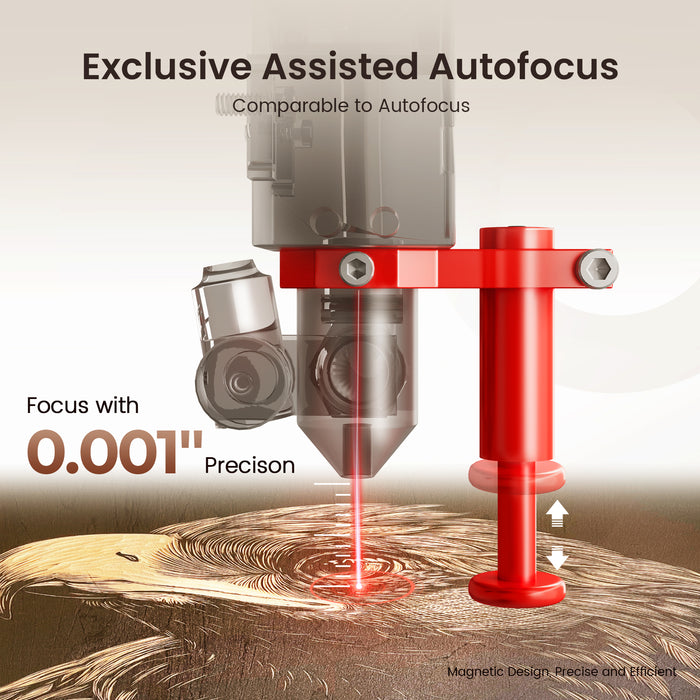
The magnetic assisted focus system makes setup quick. Even if you’re new to leather for engraving, you can get accurate focus in seconds.
Adjustable Air Assist
Different leather needs different airflow. This cutting and engraving laser lets you control it, helping reduce burn marks and improve engraving clarity.
Step-by-Step Process for Engraving Leather
Now let’s go through the actual process. This is where things start to come together.
Step 1 Prepare Your Leather
Clean the surface. Dust or oil can affect engraving quality.
Some users lightly dampen leather for engraving to get deeper contrast, but test this first.
Step 2 Set Your Design
Use software like LightBurn or LaserGRBL. Keep your design simple at first.
A cutting and engraving laser works best with vector files for cutting and raster for engraving.
Step 3 Test Settings
Always run a small test on scrap leather for engraving.
Adjust:
-
Power
-
Speed
-
Passes
This avoids ruining your main piece.
Step 4 Start Engraving
Let the cutting and engraving laser do its job. Avoid moving the material during the process.
Watch for smoke and ensure airflow is steady.
Step 5 Finishing Touches
After engraving leather for engraving:
-
Wipe off residue
-
Apply leather conditioner if needed
-
Seal for durability
Common Mistakes to Avoid
Even experienced users mess this up sometimes.
-
Using the wrong leather for engraving
-
Setting power too high on the cutting and engraving laser
-
Skipping test runs
-
Poor ventilation setup
-
Ignoring airflow adjustments
Fixing these will instantly improve your results.
Creative Ideas You Can Try

Once you’re comfortable with leather for engraving, you can create a lot of things.
-
Custom wallets
-
Keychains
-
Dog tags
-
Notebook covers
-
Belt designs
A cutting and engraving laser makes it easy to scale from hobby to small business.
Key Takeaways
-
Always choose the right leather for engraving, preferably vegetable-tanned
-
Proper machine setup is critical for clean results
-
A good cutting and engraving laser improves accuracy and efficiency
-
Test settings before final engraving to avoid waste
-
Machines like the Monport Reno65 make the process easier and more reliable
Conclusion
Mastering leather for engraving at home is not as hard as it seems, but it does take a bit of patience and the right setup. Once you understand how leather reacts and how your cutting and engraving laser behaves, everything starts to feel smoother. With the right approach, you can turn simple leather pieces into professional-looking products. Whether it’s for personal use or selling, learning to handle leather for engraving properly gives you an edge. And having a reliable cutting and engraving laser makes the whole process less stressful and more enjoyable.
If you’re ready to level up your projects, now is the time to invest in better tools and sharpen your technique.
Exclusive Discount Code
Use blog code AUBLOG888 for exclusive discounts on your next machine upgrade.
FAQs
What is the best type of leather for engraving?
Vegetable-tanned leather is the best leather for engraving because it reacts well to heat and gives clean, dark results with a cutting and engraving laser.
Can I use any laser machine for leather?
Not all machines perform the same. A proper cutting and engraving laser with adjustable settings is recommended for consistent results on leather for engraving.
Why does my leather burn too much?
This usually means your cutting and engraving laser power is too high or your speed is too slow. Adjust both and test again on scrap leather for engraving.
Do I need air assist for leather engraving?
Yes, air assist helps reduce burn marks and keeps the engraving clean when using a cutting and engraving laser.
Is leather engraving safe at home?
It is safe if you use proper ventilation and avoid unsafe materials. Always use suitable leather for engraving and operate your cutting and engraving laser in a well-ventilated area.
Don’t wait to improve your results. A better setup changes everything when working with leather for engraving. Shop Now and take advantage of code AUBLOG888 to get started with a powerful cutting and engraving laser today.


Leave a comment