




 GPro 100W
 GA 100W
 GA 60W
 GM Pro 60W
 Reno 65W
 Reno 65W Pro

Small Business Guide: Laser Engraving Artwork Design Using a Wood Laser Cutter
8%
off
Hurry! Offer Ends Soon!
CODE: AUBLOG888
COPY
CODE
CODE
Starting a small business today doesn’t need a massive setup, and honestly, many people are now turning to laser engraving artwork design using a wood laser cutter because it’s practical and scalable. You can begin from a small workspace, even at home, and still produce items that look professionally made.
If you’re planning to build a side hustle or a full-time shop, learning laser engraving artwork design with a wood laser cutter gives you a real advantage. It lets you create custom pieces fast, reduce waste, and offer something unique that customers actually want.
This guide walks you through the real process, not just theory. From choosing your machine to designing artwork and selling your products, everything is covered in a straightforward way.

Why Laser Engraving Works for Small Businesses
Small businesses need tools that are flexible and cost-efficient. That’s where laser engraving artwork design and a wood laser cutter really shine.
You can create a wide range of products without changing machines. One day it’s custom signs, next day it’s wedding gifts or branded merchandise. That flexibility matters.
Here’s why many small shops choose this path:
-
Low material cost (wood is affordable and easy to source)
-
High customization potential
-
Fast production turnaround
-
Minimal manual labor once setup is done
When you get comfortable with laser engraving artwork design, your wood laser cutter basically becomes your main production partner.
Choosing the Right Wood Laser Cutter

Not all machines are equal, and picking the wrong one can slow you down early on. A good wood laser cutter should support your workflow, not complicate it.
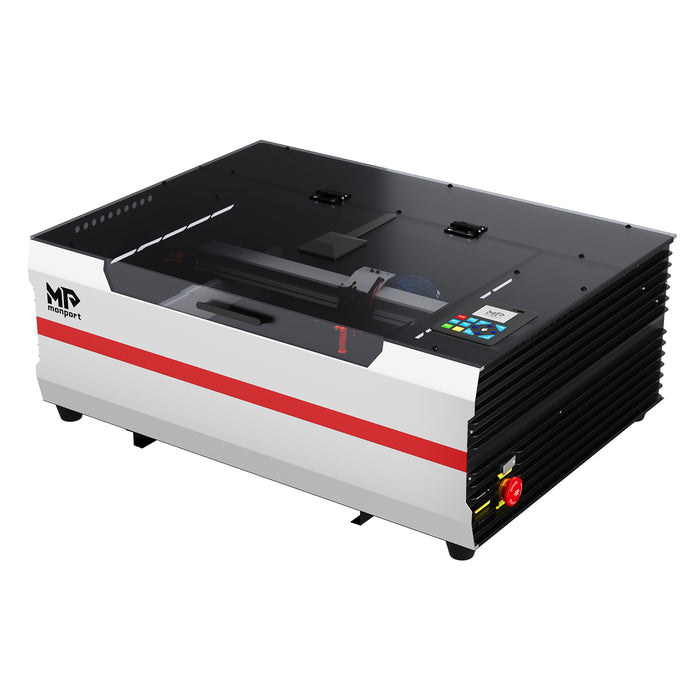
One strong option is the Monport Reno45 Pro Vision 45W Desktop CO2 Laser Engraver & Cutter. It’s designed for both beginners and growing businesses.
Key Specs You Should Know
-
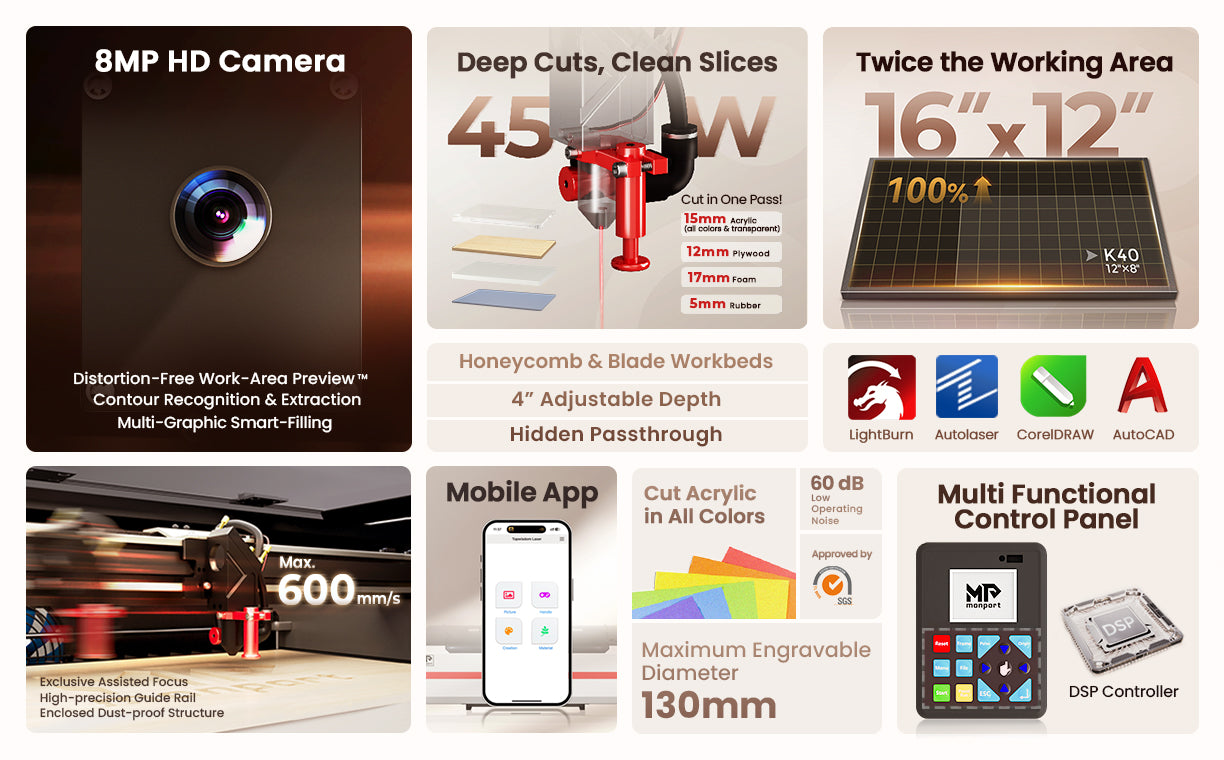
Working area: 16" × 12" (400 × 300mm)
-
Speed: up to 600mm/s
-
Z-axis movement: 4 inches
-
Weight: 30kg
-
Compatible with LightBurn, AutoCAD, Illustrator, and more
These specs matter because your laser engraving artwork design depends on precision and speed. A reliable wood laser cutter lets you produce more in less time.
What Makes It Stand Out
This machine isn’t just about power. It’s built for efficiency.
-
8MP camera for precise alignment
-
Magnetic assisted autofocus for quick setup
-
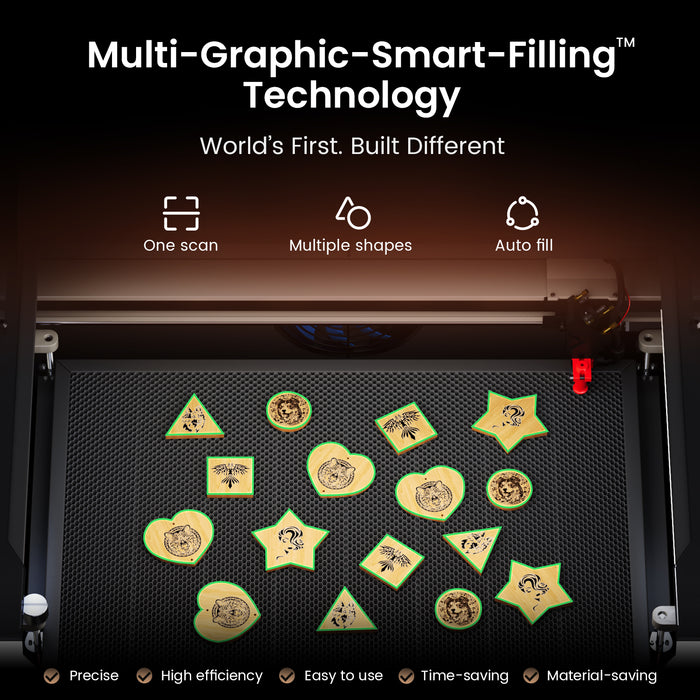
Smart batch filling for multiple designs
-
High-speed motion system
So when you’re doing laser engraving artwork design, your wood laser cutter won’t slow you down with constant adjustments.
Designing Artwork for Laser Engraving
Design is where your business stands out. You can have the best wood laser cutter, but without good laser engraving artwork design, your products won’t sell.
Keep Designs Clean and Clear
Laser engraving works best with simple, defined lines.
-
Avoid overly complex shading
-
Use vector graphics when possible
-
Test engraving depth before final runs
Your laser engraving artwork design should match the capabilities of your wood laser cutter, not fight against it.
Use the Right Software
Most machines support tools like:
-
LightBurn
-
Adobe Illustrator
-
CorelDRAW
These programs let you refine your laser engraving artwork design and ensure your wood laser cutter reads it correctly.
Test Before Full Production
Always run a small test. Wood reacts differently depending on type and thickness.
Doing this saves materials and improves your laser engraving artwork design results on your wood laser cutter.
Best Wood Types for Engraving

Not all wood behaves the same. Choosing the right material improves quality and reduces errors.
Popular options include:
-
Birch plywood (smooth and consistent)
-
Maple (great for fine detail)
-
Walnut (rich contrast)
-
Bamboo (eco-friendly option)
Each type affects how your laser engraving artwork design appears after using a wood laser cutter.
Workflow for Small Business Production
Once you have your design and materials, your workflow should be simple and repeatable.
Step-by-Step Process
-
Create or import your design
-
Adjust settings based on wood type
-
Position material using camera alignment
-
Run a test engraving
-
Start full production
With a good wood laser cutter, your laser engraving artwork design process becomes faster over time.
If you’re serious about starting or upgrading your setup, now is the time to act. A reliable machine makes a big difference in output and quality. Discover More about Monport machines and use code AUBLOG888 to unlock exclusive savings while getting started.
Why Monport Is a Smart Choice
There are many brands out there, but Monport has built a solid reputation for performance and ease of use.
Advanced Camera System
The built-in 8MP camera scans materials in seconds. This helps your laser engraving artwork design align perfectly on your wood laser cutter, even with irregular shapes.
Smart Batch Processing
You can engrave multiple items at once. This is huge for small businesses handling bulk orders.
It improves productivity without needing extra setup for each piece.
Magnetic Assisted Focus
Focusing the laser is often tricky, but this feature simplifies it. Even beginners can handle laser engraving artwork design tasks on a wood laser cutter without stress.
Strong Cutting Capability
Compared to standard machines, it cuts deeper and cleaner. You can work with thicker materials and still maintain detail.
Built for Efficiency
Everything from motion control to airflow is optimized. That means less downtime and more production.
Common Mistakes to Avoid

Starting out, it’s easy to make small errors that cost time and materials.
Avoid these:
-
Using low-quality wood
-
Skipping test runs
-
Overcomplicating designs
-
Ignoring machine maintenance
A smooth laser engraving artwork design process depends on how well you handle your wood laser cutter daily.
Key Takeaways
-
Laser engraving artwork design is a strong foundation for small business success
-
A reliable wood laser cutter improves speed and quality
-
Keep designs simple and test before production
-
Choose the right wood for better results
-
Machines like Monport Reno45 Pro Vision offer advanced features for growth
Conclusion
Building a small business around laser engraving artwork design with a wood laser cutter is not just a trend, it’s a practical move. You get flexibility, creative control, and the ability to scale at your own pace. The key is starting with the right setup and learning as you go. Don’t overthink it too much. Focus on good design, consistent workflow, and using a machine that supports your goals.
If you do that, your laser engraving artwork design skills combined with a solid wood laser cutter can turn into a steady and profitable operation.
FAQs
What is the best wood for beginners?
Birch plywood is usually the easiest to start with. It’s affordable and works well with most wood laser cutter settings.
Do I need design experience to start?
Not really. You can begin with simple templates and improve your laser engraving artwork design skills over time.
How long does it take to learn?
Basic operations can be learned in a few days. Mastering laser engraving artwork design with a wood laser cutter takes practice.
Is laser engraving profitable?
Yes, especially if you focus on custom products. Good laser engraving artwork design helps you stand out in the market.
Can I run this business from home?
Yes, many people do. A compact wood laser cutter fits well in small spaces.
Ready to start or upgrade your setup? Shop Now and explore Monport laser machines designed for small business success. Don’t forget to use code AUBLOG888 to get exclusive discounts and make your investment go further.


Leave a comment