



 GPro 100W
 GA 100W
 GM Pro 60W
 Reno 65W
 Reno 65W Pro
 Reno 45W

Choosing a Desktop Laser Engraver: CO2 Laser vs Diode Laser for Your Small Business
8%
off
Hurry! Offer Ends Soon!
CODE: AUBLOG888
COPY
CODE
CODE
Starting a laser engraving business can be exciting, but choosing the right machine is where things can get confusing. A desktop laser engraver needs to match the products you plan to sell, the materials you will use and how quickly you need to complete orders. When comparing co2 laser vs diode laser, the cheapest machine is not automatically the best investment.
For a small business, the better question is simple: will the machine handle today's orders while still giving you room to grow? A diode laser can be a sensible choice for lighter engraving, while a CO2 system generally offers broader cutting and engraving capability, particularly for materials such as acrylic and thicker wood.
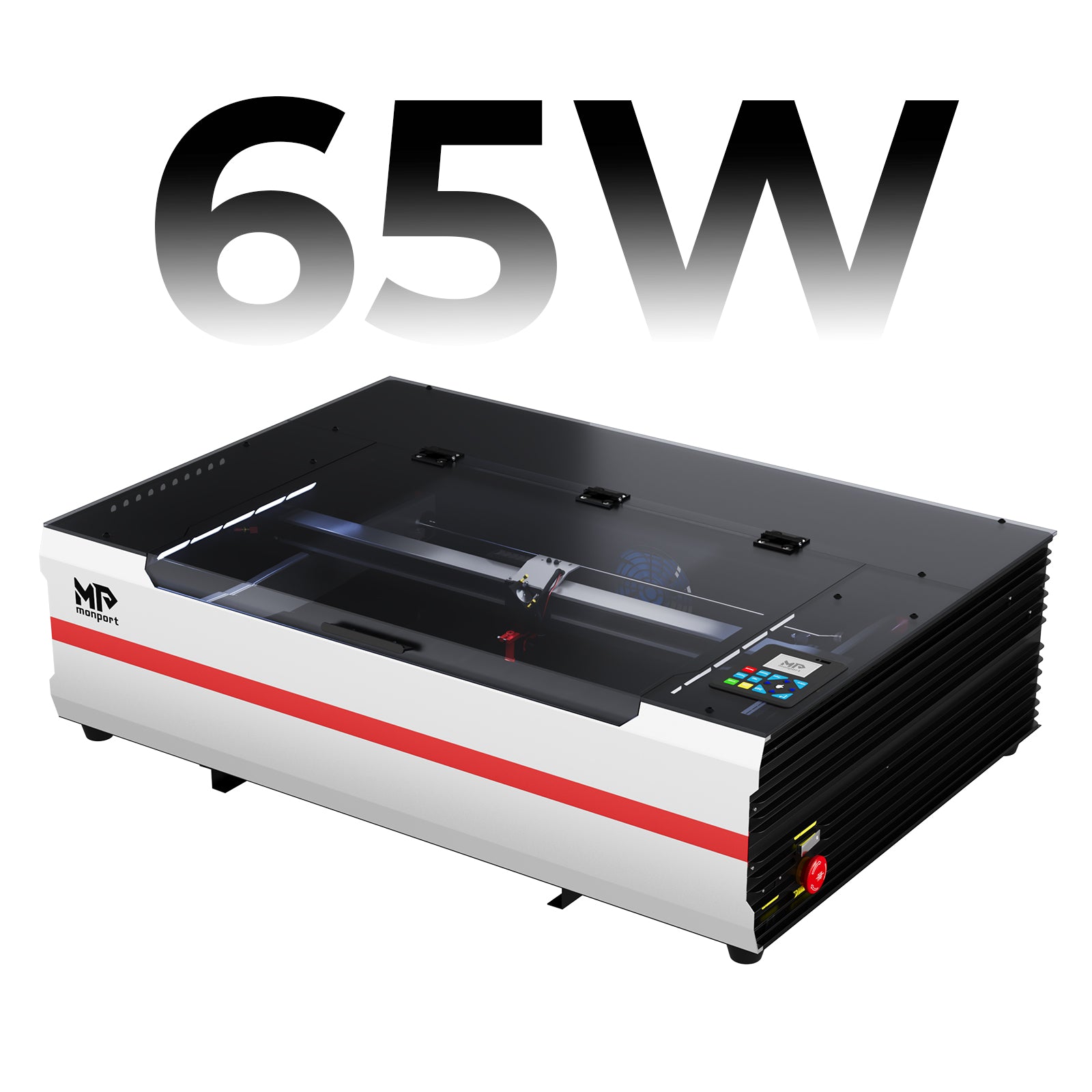
What Is a Desktop Laser Engraver?
A desktop laser engraver is a compact laser machine designed to engrave designs, text, logos and patterns onto materials. Depending on its laser type and power, it can also cut materials into shapes for products such as signs, personalised gifts, displays, ornaments and business décor.
For a small business, the important part is not simply having a laser. You need a machine that fits your actual workflow. Consider the size of your products, material thickness, expected order volume, available workspace and how much time you can spend preparing each job.
CO2 Laser vs Diode Laser: What Is the Difference?
The biggest difference in co2 laser vs diode laser comes down to wavelength, material compatibility and cutting capability.
A CO2 laser typically operates at around 10,600nm and is well suited to many non-metal materials, including wood, acrylic, leather and glass engraving. Diode lasers use a much shorter wavelength and are popular for engraving wood, leather and certain coated or darker materials.
This difference matters because the same material can behave very differently under each laser. Clear acrylic is a good example: CO2 lasers are generally much better suited to cutting it, whereas diode lasers have significant limitations because clear acrylic does not absorb their wavelength effectively.
Which Laser Is Better for a Small Business?
There is no single answer for every business.
If your main products are small engraved wooden signs, leather tags, personalised boards or simple decorative pieces, a diode machine may provide enough capability to get started. It can also make sense if your budget is limited and you are testing whether customers will actually buy your products.
However, businesses planning to offer a wider range of products should look carefully at a CO2 system. A stronger CO2 machine can provide more cutting capacity, a larger working area and better flexibility for materials that a diode struggles with.
That is why co2 laser vs diode laser should be viewed as a business decision rather than simply a machine comparison. The machine that costs less at the beginning can become limiting if you quickly outgrow its work area or cutting ability.
CO2 Laser vs Diode Laser
| Specification |
Monport Reno65 Pro
|
xTool Diode Laser
|
|---|---|---|
| Laser Type | CO2 | Diode |
| Laser Power | 65W | 40W |
| Maximum Engraving Speed | 800mm/s (23.6ips) | 600mm/s |
| Working Area | 600 × 400mm (24 × 16in) | 498 × 319mm (19.6 × 12.56in) |
| Focus / Positioning | Magnetic Assisted Focus | Pin-point™ Positioning |
| Connectivity | USB Cable, Wi-Fi, U-DISK | USB, Wi-Fi |
| Software | LightBurn, Autolaser, TopwisdomLaser | XCS, LightBurn |
| Operating Systems | Windows, macOS, Linux, Android, iOS | Windows 10+, macOS, Android, iOS, iPad |
| Machine Dimensions | 1,000 × 690 × 285mm | 765 × 561 × 183mm (without riser base) / 765 × 561 × 268mm (with riser base) |
| Weight | 40kg (88lb) | 20kg |

For a small business planning to offer more than basic engraving, the Monport Reno65 Pro is the better-equipped choice.
Why Work Area and Speed Matter More Than You Think
Many new owners focus heavily on laser wattage. It matters, but it is not the whole story.
Imagine receiving an order for 30 acrylic signs. A small working area may require more loading, repositioning and handling. A larger bed can let you arrange more pieces in one job, while faster processing can reduce the time spent waiting for each batch.
This is where a capable desktop laser engraver can become a genuine production tool rather than just a hobby machine.
For a growing business, also consider the maximum material height, focusing system, air assist, cooling and software compatibility. These details affect how easily you can move from designing a product to actually producing it.
Monport Reno65 Pro: A Strong CO2 Choice for Small Businesses
For a small business that wants cutting power, workspace and production flexibility, the Monport Reno65 Pro is the stronger option in this comparison.
The Reno65 Pro uses a 65W CO2 laser with a 600 × 400mm (24 × 16in) engraving area. It reaches a maximum engraving speed of 800mm/s (23.6ips), giving a business more room to handle larger designs and repeat orders.
Its 100mm Z-axis movement is another practical advantage. It provides more vertical working space, which is useful when working with thicker pieces or products that require additional clearance.
The machine also includes both a 640 × 440mm honeycomb workbed and a 13-piece blade workbed, giving users different surfaces for different jobs. A hidden front pass-through, measuring 640 × 7mm, adds another option when handling longer workpieces.
The Reno65 Pro uses a 10,600nm wavelength, with an external water pump cooling system rated at Q-MAX 3000L/H. Its adjustable 18L/min air assist lets operators change airflow depending on the cutting or engraving job.
That adjustability is useful in everyday production. Different materials and jobs can need different airflow, so having control over the air assist can help when trying to achieve cleaner results.
Focusing is also designed to be straightforward. The Reno65 Pro uses magnetic assisted focus, allowing the operator to position the focus system quickly rather than relying on a more cumbersome manual process.
For software and connectivity, the machine supports LightBurn, Autolaser and TopwisdomLaser. It can connect through USB, Wi-Fi or U-DISK, while compatibility extends across Windows, macOS, Linux, Android and iOS.
The machine measures 1000 × 690 × 285mm and weighs 40kg net, so it is compact compared with larger industrial equipment but still requires a proper, stable workspace.
Its estimated laser service life is 4,500 hours, with a maximum resolution of 1000 dpi. The operating ambient temperature is specified at 5–30°C (41–86°F).
For a small business, these specifications add up to something important: flexibility. Instead of buying a machine designed only for basic engraving, you get a platform built around cutting, engraving, batch work and future product expansion.
If your business is likely to move beyond simple engraving and into acrylic signs, personalised products, thicker materials or repeat production, the Reno65 Pro is the more capable long-term choice.
What About the xTool S1 40W Diode?
The xTool S1 is a serious enclosed diode option and offers a 40W laser, a 600mm/s maximum working speed and a stated working area of 498 × 319mm (19.6 × 12.56in).
It also offers useful features such as Pin-point positioning, AutoPassthrough, 3D Curve engraving and Class 1 safety features including flame detection, an emergency stop, lid-open safety stop and laser key lock.
Its weight is 20kg, making it considerably lighter than the Reno65 Pro. It supports USB and Wi-Fi connections and works with XCS and LightBurn on supported devices.
For a business focused mainly on engraving and lighter production, the S1 can be appealing. But when comparing the two machines for a broader small-business workflow, the Reno65 Pro has the advantage in laser power, working area, Z-axis movement, adjustable air assist and CO2 cutting capability.
CO2 Laser vs Diode Laser: Which Should You Buy?
When making a co2 laser vs diode laser decision, start with your product catalogue rather than the machine's price.
Choose a diode laser if you mainly want to engrave smaller products, have a narrower material range and want a lighter machine with a simpler starting point.
Choose a CO2 laser if you expect to cut acrylic, work with thicker materials, process larger batches or expand your product range. For a small business with growth in mind, these capabilities can be much more valuable than simply saving money on the initial purchase.
The Monport Reno65 Pro stands out because it combines 65W CO2 power, a 600 × 400mm work area, 800mm/s maximum engraving speed, 100mm Z-axis movement, adjustable air assist, multiple workbeds and several connection and software options.
If your goal is to build a small engraving business rather than simply experiment with laser engraving, the Reno65 Pro gives you more room to grow.
Key Takeaways
-
A desktop laser engraver should be chosen according to your products, materials and expected order volume.
-
CO2 laser vs diode laser is mainly a question of material compatibility, cutting ability, workspace and production needs.
-
Diode lasers can be excellent for engraving-focused businesses and smaller projects.
-
CO2 lasers are generally the stronger choice for broader non-metal material processing and cutting.
-
The Monport Reno65 Pro offers 65W power, a 600 × 400mm working area and up to 800mm/s engraving speed.
-
Its 100mm Z-axis, adjustable 18L/min air assist, water cooling and dual workbed setup make it particularly suitable for a growing small business.
Conclusion
Choosing a desktop laser engraver is really about choosing the production capacity your business needs. A cheaper machine may work perfectly for simple orders, but limitations can become frustrating once customers start asking for larger signs, thicker materials, acrylic products or bigger batches.
In the co2 laser vs diode laser debate, neither technology is automatically right for everyone. A diode remains a practical option for businesses concentrating on engraving, while CO2 is the better fit when cutting power, material range and production flexibility matter.
For a business planning to grow, the Monport Reno65 Pro makes the stronger case. With 65W CO2 power, 600 × 400mm workspace, 800mm/s maximum engraving speed, 100mm Z-axis movement, 10,600nm wavelength, adjustable 18L/min air assist and an external 3000L/H water-pump cooling system, it offers the capability to take on a broader range of commercial jobs.
If you want a machine that can support your business beyond basic engraving, the Reno65 Pro is the more versatile choice.
Frequently Asked Questions
Is a CO2 laser better than a diode laser?
For businesses that need stronger cutting performance and broader non-metal material compatibility, a CO2 laser is generally the better choice. A diode laser can be more suitable for lighter engraving and a smaller starting budget.
What is the main difference between a CO2 laser and a diode laser?
The main difference is their laser wavelength and how different materials absorb that wavelength. CO2 lasers are particularly useful for cutting and engraving materials such as acrylic, wood and leather, while diode lasers are commonly used for engraving and lighter cutting applications.
Can a diode laser cut acrylic?
A diode laser can work with some acrylic products, but clear acrylic is a major limitation. CO2 lasers are generally much better suited to cutting clear acrylic because the material absorbs the CO2 laser wavelength more effectively.
Which laser is best for a small business?
A CO2 laser is usually the better choice for a small business that expects to cut materials, handle larger orders and offer a wider product range. A diode laser can be a good starting option when the business mainly needs engraving.
Is a 65W CO2 laser good for a small business?
Yes. A 65W CO2 laser such as the Monport Reno65 Pro can be well suited to small-business production because it combines a 600 × 400mm work area with up to 800mm/s engraving speed and features designed for cutting and repeat production.


Leave a comment