



 GPro 100W
 GA 100W
 GM Pro 60W
 Reno 65W
 Reno 65W Pro
 Reno 45W

Mastering Acrylic Precision: How to Cut Acrylic Sheets Like a Pro
8%
off
Hurry! Offer Ends Soon!
CODE: AUBLOG888
COPY
CODE
CODE
Acrylic is one of the most popular materials used in laser engraving and cutting today. From custom signs and LED displays to business branding, home décor, and craft products, acrylic gives clean and professional-looking results when done properly. But many beginners still struggle with rough edges, melting, cracks, or uneven cuts because they don’t fully understand how to cut acrylic the right way.
The good news is, once you learn the correct process, cutting acrylic sheets becomes much easier and faster. With the right laser settings, machine setup, airflow, and material handling, you can create sharp and polished acrylic projects like a pro even if you are still new to laser cutting.
This machine guide will walk you through everything you need to know about how to cut acrylic, including machine selection, settings, preparation tips, and common mistakes to avoid.
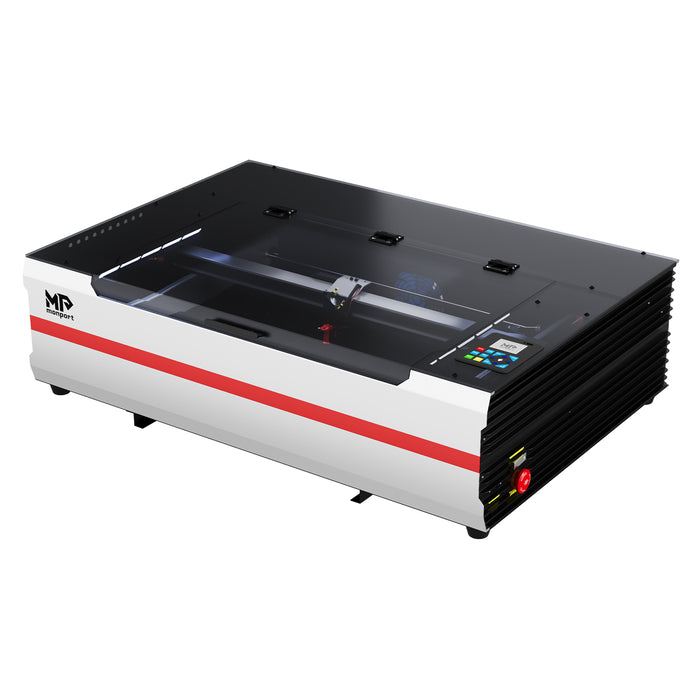
Monport Reno65 Pro | 65W CO2 Laser Engraver & Cutter

Why Acrylic is Popular for Laser Cutting
Acrylic is lightweight, durable, smooth, and easy to customise. It also reacts very well with CO2 laser machines, making it one of the easiest materials for precise laser work.
Many businesses use acrylic for:
-
Shop signage
-
LED light signs
-
Wedding décor
-
Keychains
-
Display stands
-
Trophies
-
Personalised gifts
-
Wall art
-
Retail branding
The reason many people prefer laser-based cutting acrylic sheets is because the edges often come out smooth and polished without heavy sanding afterward.
If you are serious about learning how to cut acrylic, choosing the correct machine matters a lot.
Choosing the Right Laser Machine for Acrylic
Not all desktop laser machines are built the same. Some struggle with thick acrylic, while others cannot maintain speed and precision at the same time.
One machine getting attention in Australia right now is the Monport Reno65 Pro 65W CO2 Laser Engraver & Cutter.
Why the Monport Reno65 Pro Works Well for Acrylic
The Reno65 Pro was designed for both hobby users and professional workshops that need reliable acrylic cutting performance.
Here’s why many users choose it for cutting acrylic sheets:
Powerful 65W Laser Output
The 65W laser tube gives enough power to handle thicker acrylic materials more efficiently. It can cut up to 20mm acrylic in one pass under proper settings.
That makes learning how to cut acrylic much easier because you spend less time doing repeated passes.
Fast 800mm/s Engraving Speed
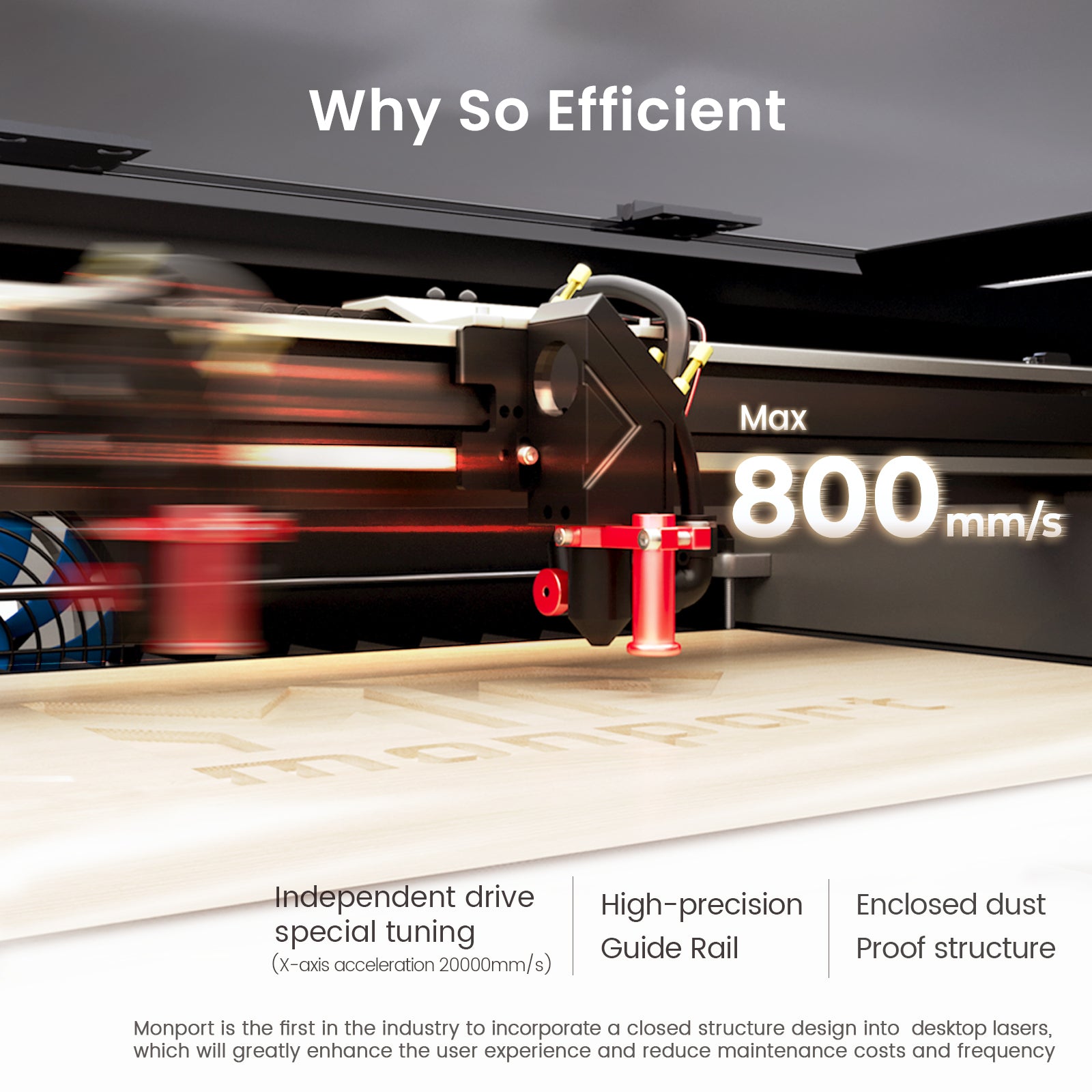
Speed matters when handling large production jobs. The Reno65 Pro reaches up to 800mm/s engraving speed while maintaining stable cutting quality.
For acrylic businesses making signs or bulk custom orders, faster production means better profits.
Large 24” × 16” Work Area
A bigger workspace helps when cutting acrylic sheets for signage, layered crafts, or larger projects.
The 600x400mm working area gives more flexibility compared to many smaller desktop machines.
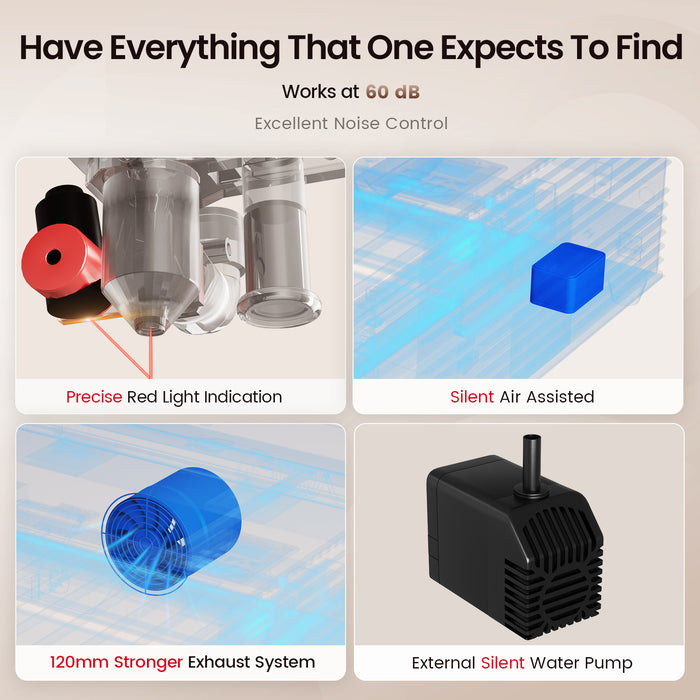
Adjustable Air Assist
One major issue people face while learning how to cut acrylic is yellowing or rough melted edges.
The Reno65 Pro includes adjustable airflow, which helps improve cut quality depending on acrylic thickness and project type.
Beginner-Friendly Magnetic Autofocus
Focusing mistakes can ruin acrylic cuts quickly.
The magnetic-assisted focus system makes setup easier for beginners while still giving accurate results.
Preparing Acrylic Before Cutting
Before starting cutting acrylic sheets, preparation is very important. Skipping these steps often causes poor results.
Leave the Protective Film On
Most acrylic sheets come with a protective layer. Leave it on during cutting because it helps reduce smoke marks and scratches.
This small step improves overall finish quality.
Clean the Material Surface
Dust and fingerprints can affect laser performance. Always wipe the acrylic surface gently before starting.
Clean materials produce cleaner cuts.
Use the Correct Workbed
The Reno65 Pro includes both honeycomb and blade workbeds.
For most cutting acrylic sheets projects, the honeycomb bed helps reduce backside reflections and improves airflow underneath the material.
Best Settings for Cutting Acrylic
When learning how to cut acrylic, settings are everything.
There is no single perfect setting because acrylic thickness, colour, and brand can behave differently. Still, these general tips help a lot.
Use Lower Speed for Thick Acrylic
Thicker sheets need slower movement so the laser can fully penetrate the material.
If you move too fast, cuts may not go all the way through.
Use Proper Air Assist
Too much airflow can sometimes affect edge clarity. Too little airflow can create excessive flame or smoke.
This is why adjustable air assist on the Reno65 Pro becomes useful during cutting acrylic sheets.
Focus Accuracy Matters
Even slightly incorrect focus can create uneven cuts or rough edges.
Always double-check focus height before starting.
Run Small Test Cuts First
Before full production, test small shapes first.
This helps dial in settings without wasting large acrylic sheets.
Common Mistakes When Cutting Acrylic
Even experienced users sometimes make mistakes while learning how to cut acrylic.
Here are some of the most common problems.
Using the Wrong Acrylic Type
Cast acrylic usually produces cleaner laser results than extruded acrylic.
Extruded acrylic may melt more easily during cutting acrylic sheets.
Ignoring Ventilation
Acrylic creates fumes during laser cutting.
Always use proper exhaust systems and airflow for safe operation.
Too Much Power
Many beginners think maximum power gives better cuts.
Actually, too much power can cause burning, melted edges, or flame marks.
Dirty Mirrors or Lenses
Dirty optics reduce laser performance.
Cleaning mirrors and lenses regularly helps maintain cutting precision.
How Monport Helps Beginners and Professionals
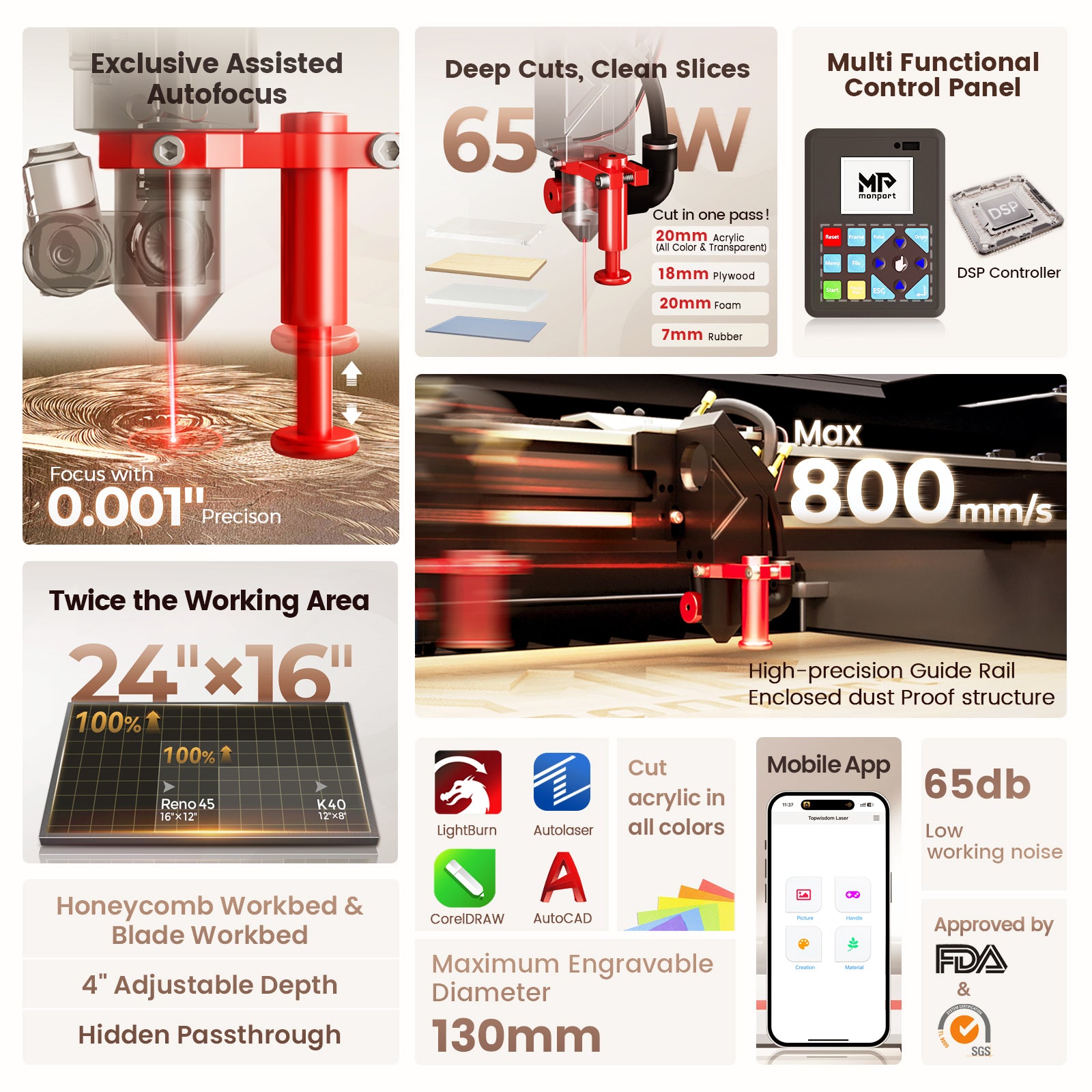
Monport focused heavily on making the Reno65 Pro easier for beginners while still powerful enough for professionals.
Some standout features include:
-
LCD control panel
-
Mobile app support
-
WiFi connectivity
-
LightBurn compatibility
-
USB support
-
Real-time parameter adjustments
-
Trajectory preview
-
Power-off resume engraving
For many people learning how to cut acrylic, these features remove a lot of the frustration common with older laser systems.
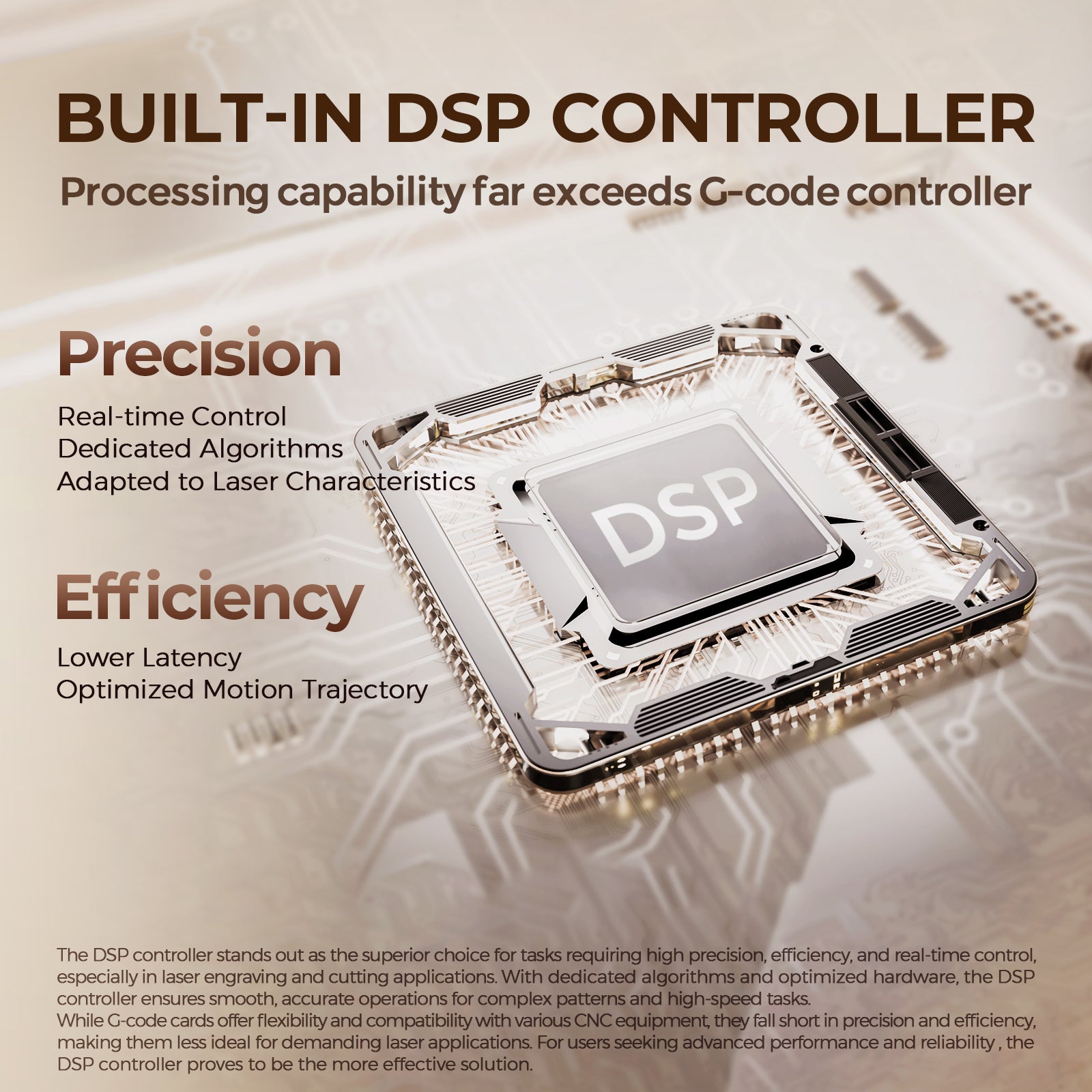
The machine also supports Windows, macOS, Linux, Android, and iOS, which makes workflow setup simpler.
If you want cleaner edges, faster production, and easier operation while cutting acrylic sheets, the Monport Reno65 Pro is worth checking out. Its strong 65W laser power, adjustable air assist, and beginner-friendly controls make acrylic work much smoother.
Shop Now and use blog code AUBLOG888 for exclusive discounts on Monport laser machines.
Advanced Tips for Professional Acrylic Results
Once you understand the basics of how to cut acrylic, these advanced tips can improve your results even more.
Use Masking Tape for Extra Protection
Some users apply low-tack masking tape over acrylic to reduce smoke staining.
This works especially well on clear acrylic.
Avoid Overheating
Continuous jobs can create heat buildup.
Allow materials and machine components to cool during large production runs.
Optimise Vector Paths
Efficient path planning reduces cutting time and improves accuracy.
Good software like LightBurn helps organise cutting order properly.
Check Material Flatness
Warped acrylic can affect focus consistency.
Always place sheets flat on the workbed before cutting acrylic sheets.
Why Acrylic Businesses Continue Growing
Acrylic products remain in high demand because they look premium while staying affordable.
Small businesses are now using laser systems for:
-
Personalised wedding signs
-
Business logos
-
Home décor
-
Gaming accessories
-
Event displays
-
Layered art
-
Name plaques
Because of this, learning how to cut acrylic can actually become a profitable business skill.
Machines like the Monport Reno65 Pro help users scale production faster while keeping results professional.
Key Takeaways
-
Learning how to cut acrylic properly starts with the right machine setup
-
Proper airflow and focus settings improve edge quality
-
Cast acrylic usually cuts cleaner than extruded acrylic
-
Test cuts help avoid wasted materials
-
Adjustable air assist improves performance during cutting acrylic sheets
-
The Monport Reno65 Pro offers strong cutting power, fast speeds, and beginner-friendly controls
-
Proper ventilation and lens maintenance are very important
-
Acrylic products remain highly profitable for custom businesses
FAQs
What type of acrylic is best for laser cutting?
Cast acrylic is usually best because it produces smoother and clearer edges compared to extruded acrylic.
Can the Monport Reno65 Pro cut thick acrylic?
Yes. The Reno65 Pro can cut up to 20mm acrylic under proper settings and conditions.
Why are my acrylic edges turning yellow?
This usually happens because of incorrect airflow, excessive heat, or improper power settings during cutting acrylic sheets.
Do I need air assist when learning how to cut acrylic?
Yes. Air assist helps reduce smoke, improves edge quality, and lowers the chance of flare-ups.
Is acrylic laser cutting profitable?
Yes. Many businesses earn income from custom acrylic signs, décor, gifts, branding products, and personalised items.
Conclusion
Mastering how to cut acrylic takes practice, but the process becomes much easier when using the right machine and proper settings. Clean edges, smooth finishes, and accurate details all come from understanding material handling, airflow, focus, and laser power balance.
For anyone serious about cutting acrylic sheets, investing in a capable machine like the Monport Reno65 Pro can save time, improve production quality, and reduce beginner mistakes. Its 65W laser power, adjustable air assist, fast engraving speeds, and user-friendly controls make it a strong option for both hobby users and growing businesses in Australia.
If you want to improve your acrylic projects and produce cleaner professional-looking results, now is a great time to upgrade your workflow.
Discover More about Monport laser machines today and use blog code AUBLOG888 for exclusive discounts.


Leave a comment