



 GPro 100W
 GA 100W
 GM Pro 60W
 Reno 65W
 Reno 65W Pro
 Reno 45W

Laser Marking Aluminium: Techniques, Materials, and Machine Selection
8%
off
Hurry! Offer Ends Soon!
CODE: AUBLOG888
COPY
CODE
CODE
Laser marking aluminium is a practical way to add logos, serial numbers, labels and decorative designs to metal products. The best results depend on the aluminium finish, the marking method and the machine you choose. Understanding laser etching metal, aluminum laser marking and laser etching aluminium helps you select a suitable process for your project rather than relying on trial and error.
Whether you're personalising aluminium tags, marking equipment panels or producing branded components, this guide explains the main techniques, material considerations and machine features to look for when laser marking metal.
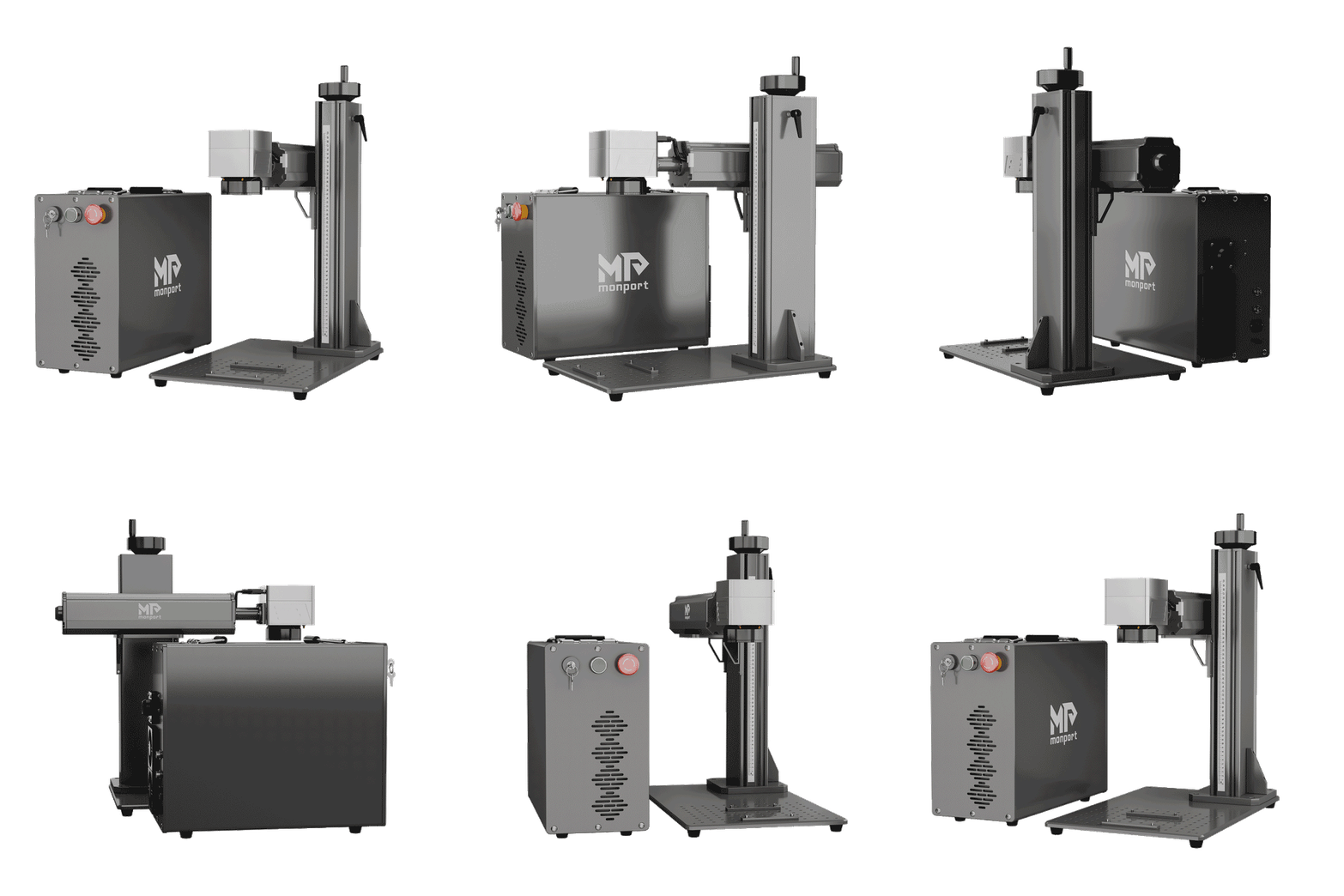
Monport GPro 100W Split MOPA Fiber Laser Engraver & Marking Machine With Manual Focus

What Is Laser Marking Aluminium?
Laser marking aluminium uses a focused laser beam to change a metal surface and create text, patterns or identification marks. Depending on the material and settings, the result may appear as a colour change, a dark mark or a more noticeable surface engraving.
The terms laser etching metal and laser etching aluminium are often used broadly, but marking and engraving are not always the same. Marking generally changes the surface appearance, while engraving removes material to create a recess. The appropriate method depends on the required appearance, durability and finish.
Which Aluminium Materials Can Be Laser Marked?

Aluminium comes in several forms, and the surface finish can significantly affect the result of aluminum laser marking.
Anodised aluminium
Anodised aluminium has a treated surface that can produce clear, high-contrast marks when processed correctly. It's commonly used for equipment labels, nameplates, control panels and branded tags.
For these projects, laser marking metal can help create crisp text and detailed graphics without needing printed labels. Test a sample first, as the coating and colour influence the final appearance.
Bare aluminium
Bare aluminium can be more challenging to mark consistently because its reflective surface behaves differently from coated materials. The alloy, surface condition and laser parameters all affect the outcome.
When laser marking aluminium, test the exact grade and finish you'll use in production. A setting that works on one aluminium part may not produce the same contrast on another.
Coated and finished aluminium
Painted, coated or polished aluminium requires extra care. The laser may affect the coating rather than the metal beneath it, so check whether the intended result is to remove a coating, create a visible surface change or produce a deeper mark.
Sample testing is an important part of laser etching aluminium, particularly when matching a consistent finish across multiple parts.
What Techniques Are Used for Laser Etching Metal?

The right method depends on the machine, aluminium surface and desired mark.
Surface marking
Surface marking changes the appearance of the metal without necessarily creating a deep recess. It's useful for logos, product identifiers, small text and decorative patterns.
For many identification projects, laser etching metal is chosen because it can reproduce fine details with minimal manual handling once the design and parameters are established.
Engraving
Laser engraving removes material to create a recessed mark. It can suit projects that need a more tactile result, although the achievable depth depends on the material, laser power, settings and number of passes.
If you're considering laser marking metal for industrial components, decide whether surface contrast or physical depth matters more. That choice will help narrow down the required machine capabilities.
Black marking on anodised aluminium
Some anodised aluminium surfaces can produce dark, high-contrast marks with a suitable fibre laser and carefully selected settings. Results vary by coating and material, so test before committing to a full batch.
For businesses producing branded aluminium products, this can be a useful application of aluminum laser marking, particularly where readable text and a consistent appearance are priorities.
How Do You Choose a Machine for Laser Marking Aluminium?

Before buying equipment, consider your material, production volume, design complexity and available workspace.
-
Laser type: Fibre lasers are commonly considered for metal marking. The appropriate source depends on the aluminium finish and the intended result.
-
Power: Higher power can support particular processing demands, but it doesn't guarantee better contrast or finer detail.
-
Working area: Check that the usable marking field fits your largest part.
-
Control and focus: Preview tools and reliable focusing make it easier to position artwork accurately.
-
Software: Confirm compatibility with your computer and preferred design workflow.
-
Safety: Use appropriate guarding, extraction and operating procedures for the machine and material. Never bypass safety features.
These checks matter whether you're beginning laser etching aluminium as a small business or adding laser marking metal to an established production workflow.
Is the Monport GPro 100W MOPA Fibre Laser Suitable?

For users exploring more advanced metal-marking work, the Monport GPro 100W Split MOPA Fibre Laser Engraver and Marking Machine with Manual Focus is one option to investigate. Its listed specifications include a 100W MOPA fibre laser, a 6.9 × 6.9-inch working area and a wavelength of 1060–1080 nm.
The machine supports adjustable frequency from 1–3000 kHz and pulse width from 2–500 ns. These controls provide flexibility for testing different marking effects, including black marking on anodised aluminium. The actual result still depends on the material and the selected parameters.
It also features a Sino-Galvo RC1001 galvanometer, three-point red-light alignment, red-light preview, an access key and an emergency stop button. The listed marking speed is up to 10,000 mm/s, and the stated mean time to failure is 100,000 hours; these figures should not be treated as a guarantee of real-world production speed or service life.
The machine dimensions are 35 × 55 × 69.5 cm, with package dimensions of 48 × 76 × 80 cm. Its software compatibility details should be checked before purchase: the supplied product information lists BslAppSimple for Windows and Mac, and states that LightBurn is available exclusively on Mac.
For anyone comparing equipment for laser marking aluminium, the GPro's MOPA controls may be worth evaluating through material samples and application testing. Choose your machine based on the marks you need to produce, then test your aluminium before starting a production run.
Key Takeaways
-
Laser marking aluminium results vary with alloy, coating, surface finish and machine settings.
-
Laser etching metal and engraving can describe different outcomes, so define whether you need surface contrast or a recessed mark.
-
Sample testing helps establish repeatable settings for aluminum laser marking.
-
Compare laser type, working area, controls, software compatibility and safety features before buying.
-
A MOPA fibre machine, such as the Monport GPro 100W, offers adjustable parameters for testing different metal-marking applications.
Conclusion
Successful laser marking aluminium starts with choosing the right method for the material and the result you want. Understanding laser etching metal, aluminum laser marking, laser marking metal and laser etching aluminium helps you make better decisions about surface preparation, testing and machine selection.
There isn't one setting or technique that suits every aluminium part. Test your material, document the settings that work and prioritise safe operation. If you're evaluating equipment for more flexible metal-marking applications, consider whether the Monport GPro 100W MOPA fibre laser meets your working-area, control and software requirements.
Ready to refine your metal-marking workflow? Start with a sample of your actual aluminium and compare the results before choosing your final process.
Frequently Asked Questions
Can you laser mark aluminium?
Yes. Aluminium can be laser marked, but the result depends on its alloy, surface finish, coating, laser type and settings. Testing a sample is recommended.
What laser is commonly used for aluminium marking?
Fibre lasers are commonly used for metal marking. The most suitable machine depends on whether you're working with bare, anodised or coated aluminium.
Is laser etching aluminium the same as engraving?
Not necessarily. Etching often refers to a surface change, while engraving generally removes material to create a recess. Usage can vary between manufacturers.
Can a fibre laser create black marks on aluminium?
It can create dark marks on some anodised aluminium surfaces when the material and settings are suitable. Results vary, so test the exact surface first.
What should I look for in a machine for laser marking metal?
Consider the laser type, power, working area, adjustable parameters, focusing tools, software compatibility and safety provisions. Match these features to your material and intended output.


Leave a comment