




 GPro 100W
 GA 100W
 GM Pro 60W
 Reno 65W
 Reno 65W Pro
 Reno 45W

How to Cut Acrylic Like a Pro: Choosing the Best Acrylic Sheets for Laser Cutting
8%
off
Hurry! Offer Ends Soon!
CODE: AUBLOG888
COPY
CODE
CODE
Acrylic is one of the most popular materials used in laser projects today. From signage and product displays to craft items and small business products, it’s everywhere. But many beginners still ask the same thing: how to cut acrylic properly without cracks, burns, or rough edges.
The truth is, success starts with the right materials and the right machine. If you’re using the correct acrylic sheets for laser cutting, the process becomes far easier and the results look professional. Smooth edges, clear finishes, and precise shapes are all possible when the setup is right.
This machine guide explains how to cut acrylic step by step while helping you choose the best acrylic sheets for laser cutting. Whether you run a small workshop or a home business, knowing the right approach saves time, reduces waste, and improves product quality.
Let’s break it down in a simple and practical way.


Why Acrylic Is Perfect for Laser Cutting
Before learning how to cut acrylic, it helps to understand why acrylic works so well with laser machines.
Acrylic melts and vaporises cleanly under a CO2 laser beam. This creates polished edges that often require little or no post-processing.
High-quality acrylic sheets for laser cutting offer several advantages:
• Smooth flame-polished edges
• Consistent thickness for accurate cutting
• Minimal chipping or cracking
• Clean engraving results
When beginners struggle with how to cut acrylic, the problem often comes from using the wrong acrylic type. Not all sheets are designed for laser work.
Cast acrylic is usually the best option. It engraves nicely and cuts very clean, making it ideal acrylic sheets for laser cutting.
Understanding Acrylic Types Before Cutting
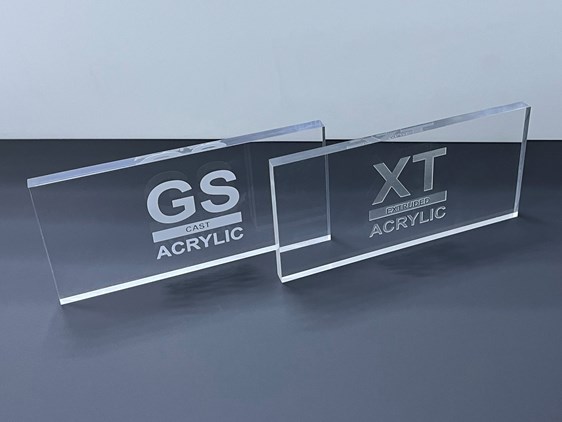
Choosing the correct material is the first step in mastering how to cut acrylic.
Cast Acrylic
Cast acrylic is produced by pouring liquid acrylic into moulds. This process creates stronger molecular bonds.
Benefits include:
• Cleaner laser cuts
• Frosted engraving results
• Less melting
Most professionals prefer cast acrylic sheets for laser cutting because the edges stay smooth and polished.
Extruded Acrylic
Extruded acrylic is manufactured through rollers and tends to be softer.
While it can still work, beginners learning how to cut acrylic may notice:
• Slightly melted edges
• Less consistent engraving results
For professional projects, cast acrylic sheets for laser cutting remain the safer option.
Step-by-Step Guide on How to Cut Acrylic

If you're wondering how to cut acrylic with a laser machine, follow these practical steps.
Step 1: Choose the Right Acrylic Sheet
Start with high-quality acrylic sheets for laser cutting.
Check the sheet thickness and protective film. The film helps reduce smoke marks during the cutting process.
Selecting proper acrylic sheets for laser cutting is the easiest way to avoid mistakes when learning how to cut acrylic.
Step 2: Prepare the Laser File
Design your project in vector software.
Programs like LightBurn are widely used for laser projects. Clean vector lines ensure smooth cutting paths.
This preparation stage is often overlooked when people try learning how to cut acrylic.
Step 3: Set Proper Laser Power and Speed
Settings depend on acrylic thickness and machine power.
Typical guidelines include:
• Lower speed for thicker acrylic
• Higher power for clean cuts
• Air assist to prevent burn marks
Using correct settings helps maximise the performance of acrylic sheets for laser cutting.
Step 4: Use Air Assist for Clean Edges
Air assist removes smoke and debris while cutting.
Without it, edges may turn yellow or cloudy. That’s why most experts recommend machines that allow airflow control when learning how to cut acrylic.
Step 5: Remove Protective Film Carefully
Once cutting is complete, peel the protective layer slowly.
Proper acrylic sheets for laser cutting will leave polished edges that require little finishing.
Choosing the Right Laser Machine Matters
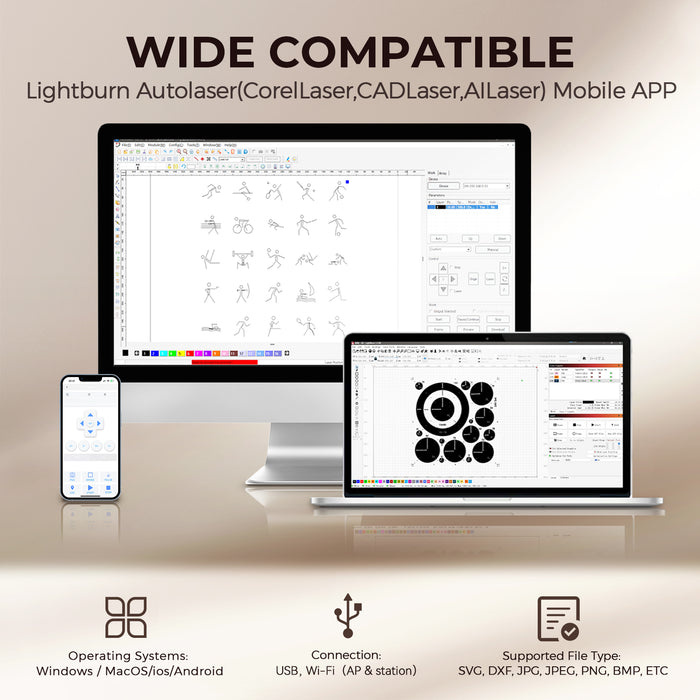
Even the best acrylic sheets for laser cutting need a reliable laser machine.
If your machine lacks stable power or accurate motion systems, learning how to cut acrylic becomes frustrating.
That’s why many professionals choose the Monport Reno65 Pro desktop CO2 laser engraver.
Why the Monport Reno65 Pro Is Excellent for Acrylic Cutting
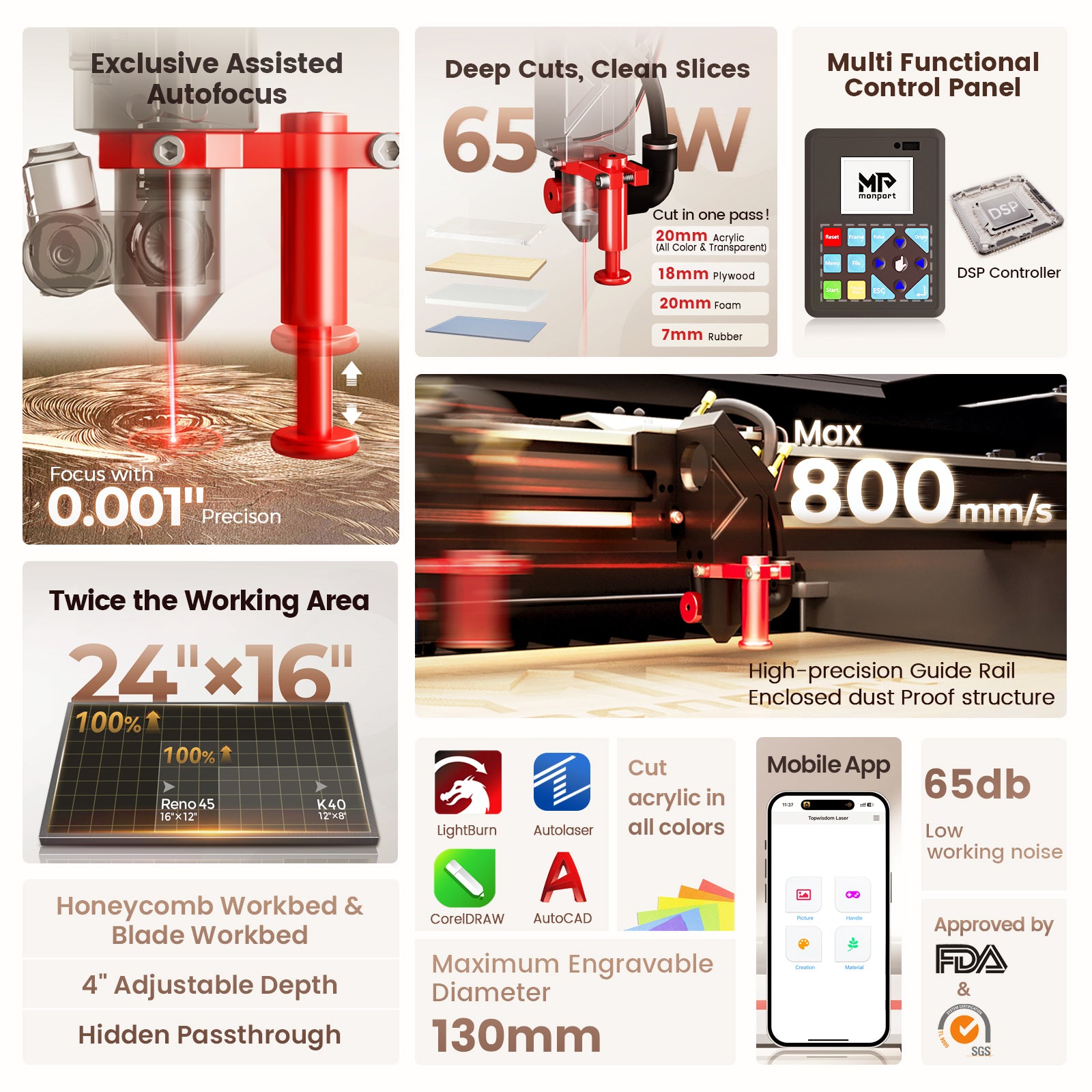
The Monport Reno65 Pro is designed specifically for serious hobbyists and small business owners.
With 65W laser power, it can cut thick acrylic sheets for laser cutting with ease.
Key advantages include:
• Cutting up to 20mm acrylic in a single pass
• Large 600 × 400mm workspace
• Fast engraving speed up to 800mm/s
• Semi-autofocus magnetic focusing system
These features make it much easier to learn how to cut acrylic without constant adjustments.
Efficient Cutting Performance
The Reno65 Pro uses a high-precision motion system with lightweight design and customised motors.
This allows extremely stable movement when processing acrylic sheets for laser cutting.
For small businesses producing signage or display products, speed and accuracy are critical.
Semi-Autofocus Makes Setup Easy
Many beginners struggle with focusing the laser beam.
Monport solved this by adding a magnetic assisted semi-autofocus system. Even someone new to how to cut acrylic can complete focusing within seconds.
Adjustable Air Assist for Better Results
Acrylic requires controlled airflow while cutting.
The Reno65 Pro includes an adjustable air assist system, allowing users to fine tune airflow depending on material thickness.
This ensures acrylic sheets for laser cutting stay clear and clean instead of yellowing.
Large Workspace for Bigger Projects
The machine offers a 600 × 400mm working area, which is much larger than many desktop lasers.
This makes it easier to process larger acrylic sheets for laser cutting or multiple parts in one job.
If you're serious about learning how to cut acrylic like a professional, upgrading your machine is often the biggest improvement. Shop Now and explore Monport laser machines to achieve cleaner results with acrylic sheets for laser cutting.
Use the exclusive blog code AUBLOG888 to unlock special discounts.
Practical Tips for Perfect Acrylic Cuts
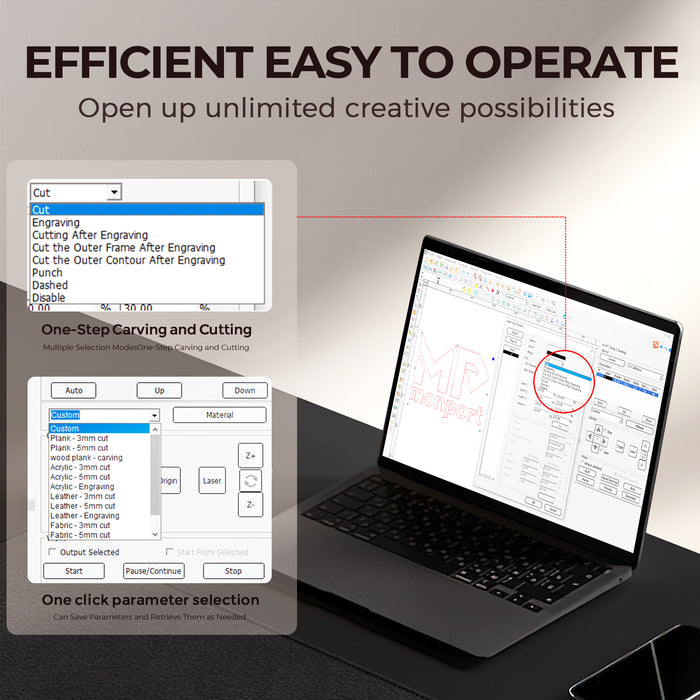
Even experienced users refine their techniques over time. Here are several practical tips when working with acrylic sheets for laser cutting.
• Keep the acrylic surface clean before cutting
• Leave the protective film on during cutting
• Use moderate air assist settings
• Avoid stacking acrylic sheets
• Test settings on scrap material first
These small habits improve consistency when learning how to cut acrylic.
Another helpful trick is reducing speed slightly for thicker acrylic sheets for laser cutting to maintain edge quality.
Common Mistakes When Cutting Acrylic
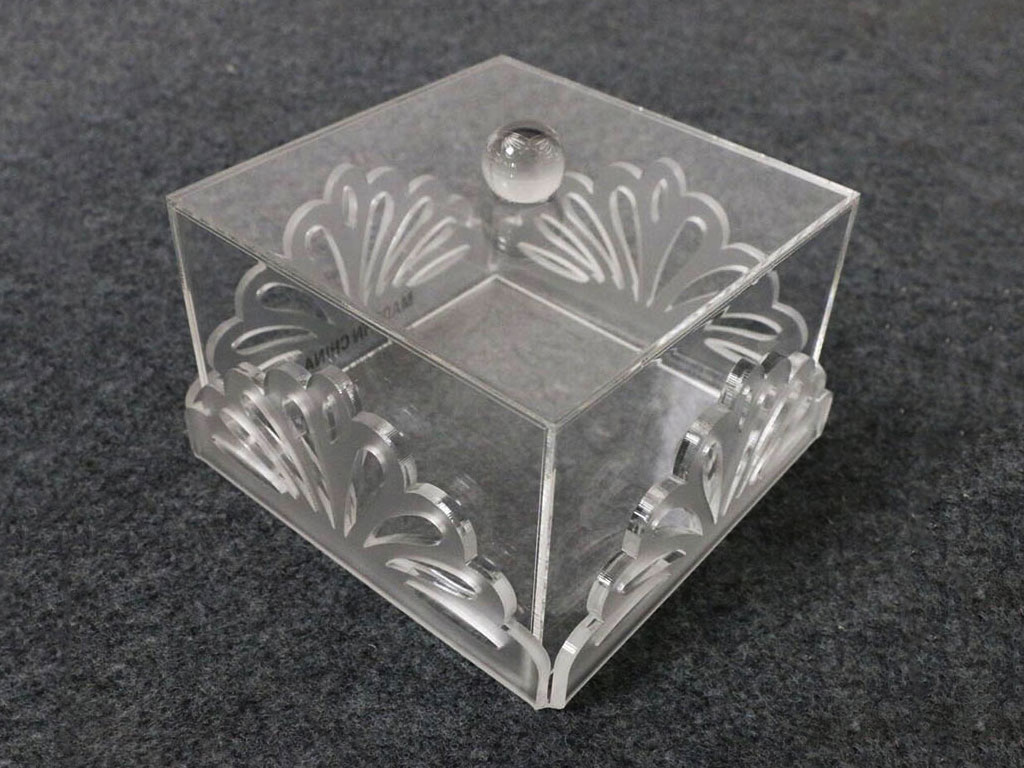
Beginners learning how to cut acrylic often encounter a few common issues.
Melted Edges
This usually happens when speed is too slow or airflow is insufficient.
Good acrylic sheets for laser cutting combined with proper air assist solves this.
Incomplete Cuts
This occurs when laser power is too low for the material thickness.
Machines like the Reno65 Pro handle thicker acrylic sheets for laser cutting far more reliably.
Surface Smoke Marks
Leaving protective film on the acrylic during cutting reduces this problem significantly.
Key Takeaways
• Learning how to cut acrylic starts with selecting proper materials
• Cast acrylic sheets for laser cutting deliver the best results
• Laser settings and airflow control are essential
• A powerful CO2 laser machine improves efficiency and quality
• The Monport Reno65 Pro offers excellent cutting performance for acrylic projects
FAQs
What type of acrylic works best for laser cutting?
Cast acrylic is generally the best option. It produces cleaner edges and better engraving results compared with extruded materials.
Can beginners learn how to cut acrylic easily?
Yes. With the right machine and proper acrylic sheets for laser cutting, beginners can quickly learn the process through testing and small projects.
What thickness of acrylic can a CO2 laser cut?
It depends on laser power. A 65W machine like the Monport Reno65 Pro can cut thick acrylic sheets, even up to around 20mm in some cases.
Why do acrylic edges sometimes turn yellow?
Yellow edges usually appear when airflow is too low or the cutting speed is incorrect. Adjustable air assist helps prevent this issue.
Do acrylic sheets need finishing after laser cutting?
Most high-quality acrylic sheets for laser cutting produce polished edges directly from the laser, meaning little to no finishing is required.
Conclusion
Mastering how to cut acrylic isn’t complicated once you understand the basics. The right material, proper settings, and a reliable laser machine make all the difference.
High-quality acrylic sheets for laser cutting produce smooth edges, clean designs, and professional results that customers notice. Whether you’re making signage, personalised products, or decorative pieces, acrylic remains one of the most profitable materials for laser businesses.
Machines like the Monport Reno65 Pro simplify the entire process. Its strong 65W laser power, large workspace, and semi-autofocus system allow beginners and professionals alike to cut acrylic sheets for laser cutting quickly and consistently.
If you're ready to improve your results and finally master how to cut acrylic, upgrading to a reliable laser machine is a smart move.
Discover More and start producing professional acrylic projects today. Use the exclusive discount code AUBLOG888 when shopping Monport laser machines.


Leave a comment