



 GPro 100W
 GA 100W
 GM Pro 60W
 Reno 65W
 Reno 65W Pro
 Reno 45W

Best Laser Cutting Engraving Software for Beginner Wood Projects
8%
off
Hurry! Offer Ends Soon!
CODE: AUBLOG888
COPY
CODE
CODE
Getting into timber crafting with a desktop laser is easily one of the most rewarding hobbies you can pick up. However, if you are just starting out, learning how to handle your setup can feel a bit overwhelming at first. Navigating different file formats, power settings, and user interfaces often leaves newcomers wondering where to begin. Choosing the right laser cutting and engraving software is the secret to simplifying your workflow, so you can focus on bringing your creative ideas to life.
Mastering wood engraving for beginners does not mean you need a degree in graphic design or engineering. With user-friendly programs, you can go from a simple digital sketch to a beautifully detailed coaster, sign, or wooden box in no time. In this guide, we will break down the top software options available today, explain how to prepare your timber projects, and look at the essential hardware features that make your learning curve smooth and enjoyable.

Why Software Choice Matters for Timber Projects
Your software acts as the translator between your digital design and the physical machine. It tells the laser head where to move, how fast to travel, and how much power to fire into the timber. Using the wrong program can result in scorched edges, misaligned vector lines, or flat, lifeless raster engravings.
When working with natural timber, variables like grain density and moisture content require precise control. Good control programs allow you to fine-tune your speed, power, and pass counts, giving you consistent results whether you are working with soft pine, ply, or dense native hardwoods.
Top Laser Software Options for Beginners
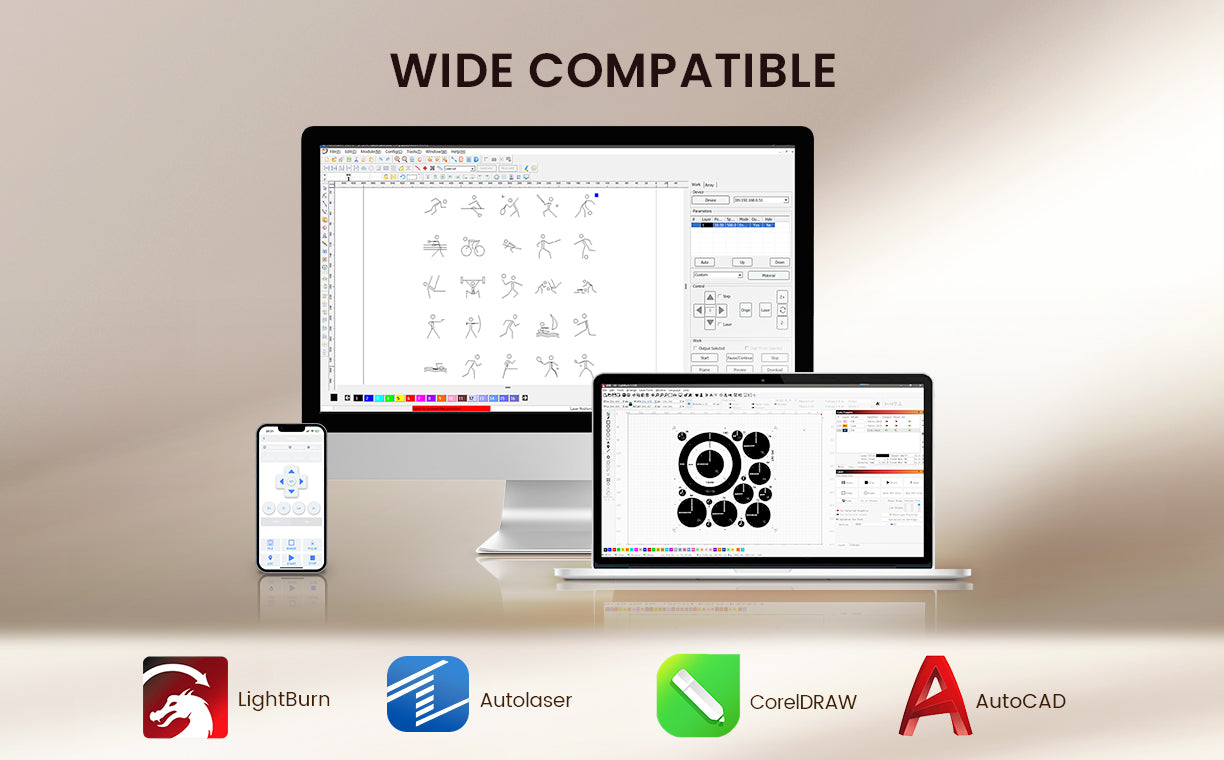
Finding the best laser cutting and engraving software depends on your budget, your computer setup, and your experience with digital artwork. Here is a look at the most reliable programs for beginners.
1. LightBurn
LightBurn is widely regarded as the gold standard for laser operators across Australia and worldwide. It is a complete design, layout, and control package that communicates directly with your machine.
-
Pros: Highly intuitive interface, excellent vector editing tools, precise layer management, and native support for Windows, macOS, and Linux.
-
Best For: Beginners who want a professional tool that grows with their skills without requiring separate design software.
2. LaserGRBL
If you are on a tight budget, LaserGRBL is a fantastic free, open-source option designed specifically for GRBL-based setups.
-
Pros: Completely free, lightweight, easy to install, and ideal for basic picture rastering and simple vector jobs.
-
Best For: Hobbyists using entry-level machines on Windows who want to learn the absolute basics without an upfront software cost.
3. Specialty & Legacy Options
For makers transitioning from older systems or those who prefer specific graphic design platforms, several lightweight utilities get the job done. Programs like K40 Whisperer, LaserDRW, MeerK40t, and CorelLaser offer simple interfaces to run jobs cleanly.
-
Pros: Lightweight, simple, and often free to download.
-
Best For: Users running budget-friendly control boards who prefer minimal design bloat.
Essential Features for Beginner Wood Projects

As you dive into wood engraving for beginners, having software that supports key operational controls makes all the difference. When setting up your first project, you will want to focus on a few vital functions.
-
Layer Control: Assigning different colors to your lines allows you to run a gentle raster scan for your text first, followed by a high-power vector cut to drop the piece out of the timber board.
-
Material Libraries: Saving your tested speed and power settings for 3mm ply, 6mm MDF, or solid timber saves you heaps of time on future builds.
-
Air Assist Integration: Controlling airflow helps keep your timber free from amber smoke stains and charred edges.
A Reliable Desktop Companion: Monport Reno65
While great software gives you the control you need, pairing it with a capable, spacious desktop machine ensures your designs translate perfectly onto the timber. A fantastic example of a modern, user-focused setup is the Monport Reno65 65W Desktop CO2 Laser Engraver & Cutter.
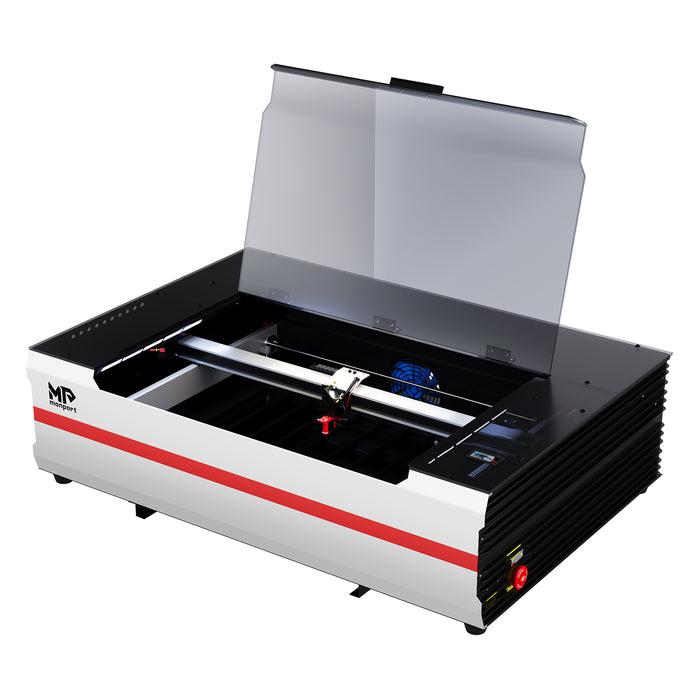
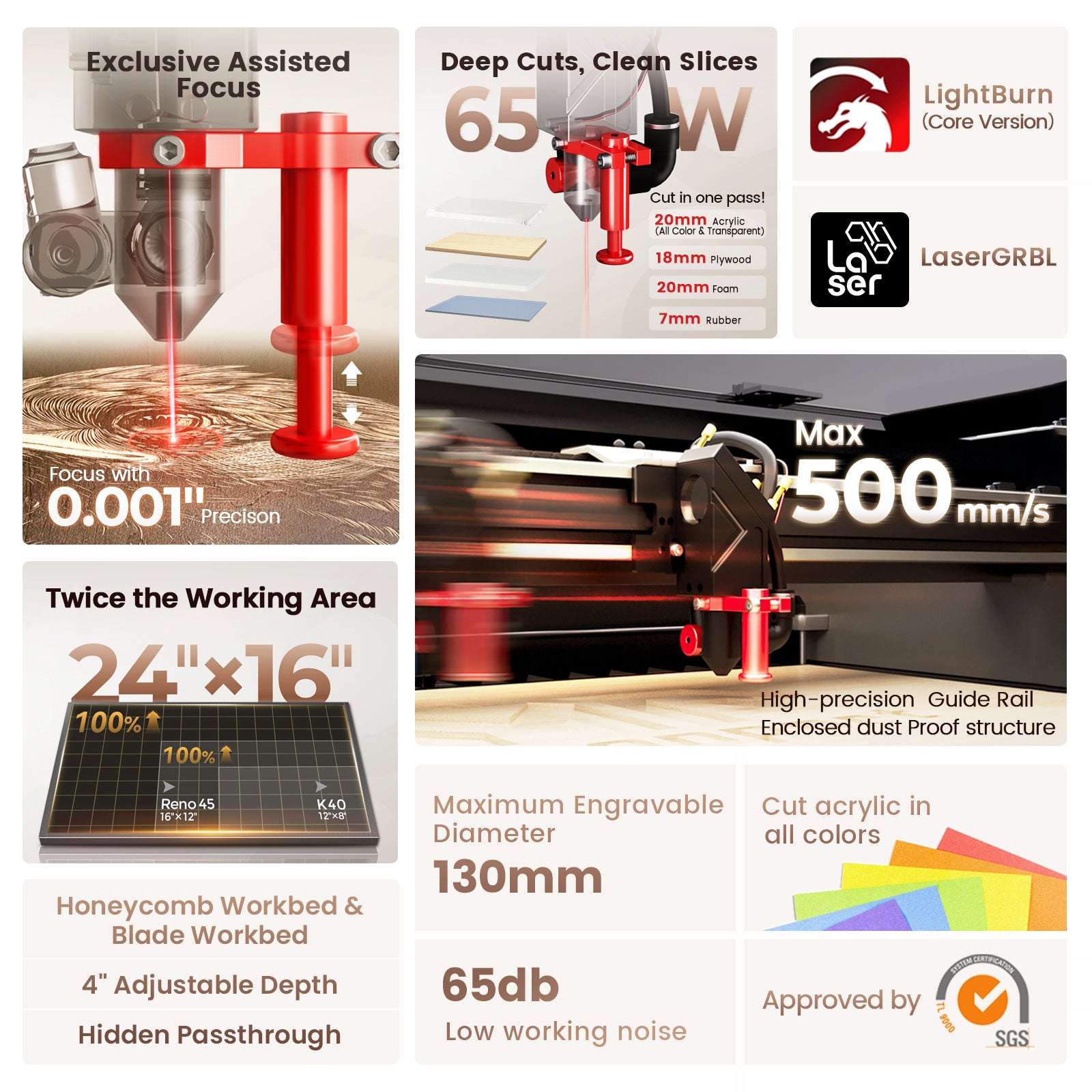
Monport spent 18 months of focused research perfecting the Reno series to solve common frustrations found in standard desktop units. The Reno65 delivers a powerful 65W CO2 laser tube capable of slicing through thick materials, including cutting through up to 20mm acrylic in a single pass. Despite its compact footprint, it boasts a generous 24" x 16" (600x400mm) work area, giving you double the working space of the Reno45 and four times that of a standard K40.
| Specification / Feature | Monport Reno65 Details |
| Rated Power & Wavelength | 65W / 10600nm |
| Max. Engraving Speed | 500mm/s (19.7ips) |
| Engraving Area | 24 x 16 in. (600x400mm) |
| Z-Axis Movement | 4 in. (100mm) |
| Front Pass-Through Size | 640 x 7mm |
| Focus Mode | Magnetic Assisted Focus (Semi-autofocus) |
| Max. Resolution | 1000 dpi |
| Air Assist & Cooling | 18L/min Adjustable Air Volume; External Water Pump (Q-MAX: 3000L/H) |
| Workbeds Included | Honeycomb (640x440mm) and 13-piece Blade Workbed |
| Data Transmission | USB Cable, WiFi, U-DISK |
| Compatible Software | LightBurn, LaserGRBL, K40 Whisperer, LaserDRW, WinSealXP, Meerk40t, CorelLaser |
| Compatible Operating Systems | Windows, macOS, Linux |
| Motherboard | Lihuiyu M3 |
| Product Dimensions & Weight | 1000 x 690 x 285mm; Net Weight 88 lb. (40kg) |
What makes the Reno65 particularly beginner-friendly is its focus on workflow ease. Its exclusive magnetic-assisted semi-autofocus lets you set your focal height in seconds without tedious manual measuring. Furthermore, unlike many desktop models with fixed blowers, the Reno65 features an adjustable 18L/min air assist system. This means you can dial back the air for delicate timber rastering to avoid blowing ash around, or crank it up for clean vector cuts through dense wood.
Equipped with an easy-to-use Lihuiyu M3 motherboard, the Reno65 offers wide compatibility across software choices like LightBurn, LaserGRBL, and Meerk40t. With a fast processing speed of 500mm/s, a 4-inch Z-axis range, a hidden front pass-through slot, and dual workbeds (blade and honeycomb), it provides an expansive, stable environment to hone your skills.
Tips for Successful First Timber Engravings
To get the cleanest results on your initial timber builds, keep these handy practical tips in mind:
-
Mask Your Material: Apply painter's tape over your timber before firing the laser to catch sap overspray and smoke residue, leaving clean wood underneath.
-
Test Your Settings: Always run a small test grid on offcuts to find the sweet spot between deep engraving contrast and unwanted scorching.
-
Keep Optics Clean: Wipe down your reflective and focusing lenses regularly to maintain maximum beam sharpness and extend component life.
Key Takeaways
-
Choosing intuitive laser cutting and engraving software like LightBurn or LaserGRBL accelerates your learning curve significantly.
-
Understanding basic wood engraving for beginners relies on mastering speed, power, and layer management for different timber densities.
-
Adjustable air assist is essential for preventing smoke stains and charred edges on natural timber projects.
-
The Monport Reno65 65W CO2 laser provides an expansive 600x400mm bed, magnetic-assisted focus, and versatile software support for seamless crafting.
Conclusion
Stepping into the world of laser crafting opens up endless creative possibilities, from personalized gifts to custom home decor. By starting with the right laser cutting and engraving software, you take the guesswork out of job setups and file preparation. As you gain confidence with wood engraving for beginners, having a reliable, feature-packed machine like the Monport Reno65 ensures your hardware easily keeps up with your imagination.
Equipped with an adjustable air assist, magnetic focus, and broad software compatibility, you will be producing professional-grade timber items in no time. Don't forget to use promo code AUBLOG888 when ordering your Monport gear to kickstart your maker journey! Shop Now!
Frequently Asked Questions
What is the easiest laser cutting and engraving software for a complete novice?
LightBurn is generally considered the easiest all-in-one software because of its visual layout tools, pre-set material libraries, and direct machine control, though LaserGRBL is a great free starting point for Windows users.
Can I engrave native Australian hardwoods with a 65W CO2 laser?
Yes, a 65W CO2 laser has plenty of power to engrave dense hardwoods like Jarrah, Spotted Gum, or Tasmanian Oak, as well as cut cleanly through standard plywoods and MDF.
Why is my wood engraving coming out burnt or yellowed around the edges?
Yellowing is caused by resinous smoke settling back onto the timber surface. You can prevent this by applying painter's masking tape before firing and adjusting your air assist volume to blow fumes away cleanly.
Do I need a Mac or a Windows PC to run laser control software?
Most popular control software, including LightBurn, runs seamlessly on Windows, macOS, and Linux. However, some free tools like LaserGRBL are native to Windows only.
How does magnetic assisted focus help when engraving timber of varying thickness?
Magnetic assisted focus simplifies setting the exact distance between your lens and the workpiece. Instead of using manual gauge blocks, the magnetic feedback lets you lock in the optimal focal point in seconds for crisp, sharp detail.


Leave a comment