



 GPro 100W
 GA 100W
 GM Pro 60W
 Reno 65W
 Reno 65W Pro
 Reno 45W

Step-by-Step Guide on How to Engrave on Glass Like a Pro
8%
off
Hurry! Offer Ends Soon!
CODE: AUBLOG888
COPY
CODE
CODE
Glass engraving is an art and a science, combining precision, creativity, and the right tools. Whether you’re looking to personalise gifts, create bespoke home décor, or start a small business, mastering engraving on glass can transform ordinary glass into stunning works of art. If you’re wondering how to engrave on glass like a pro, this guide will walk you through everything you need to know, from choosing the right machine to executing flawless designs.
For the best results, using a reliable laser engraving machine like the Monport Reno45 Pro CO2 Laser Engraver is essential. Its combination of precision, efficiency, and ease of use makes it perfect for beginners and professionals alike.

AUBLOG888 – Use this for exclusive discounts on your Monport Reno45 Pro CO2 Laser Engraver.

Why Choose Laser Engraving for Glass?
Traditional methods like sandblasting or hand engraving can be labor-intensive, inconsistent, and limited in detail. Laser engraving offers several key advantages:
-
Precision: Modern CO2 laser engravers can achieve intricate patterns with millimetre accuracy.
-
Consistency: Every piece is identical, ideal for bulk production.
-
Speed: Machines like the Reno45 Pro can engrave at speeds up to 600mm/s.
-
Safety: No chemicals or heavy physical tools are required.
Learning how to engrave on glass using a laser ensures both creative freedom and professional-quality results every time.
Choosing the Right Machine for Engraving on Glass
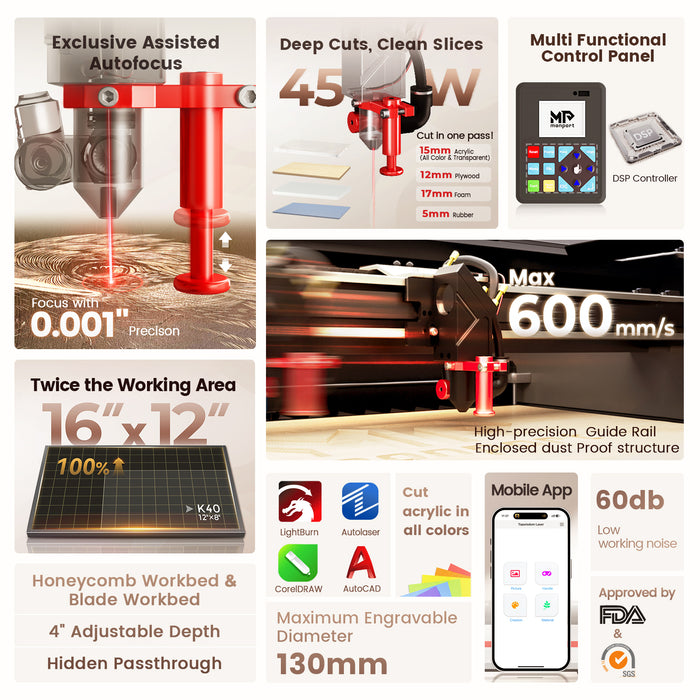
Not all laser machines are created equal. When it comes to engraving on glass, you need a device that can handle the fragility of the material while delivering precise results. The Monport Reno45 Pro CO2 Laser Engraver stands out for several reasons:
-
Working Area: 16" x 12" (400x300mm), giving ample space for larger glass pieces.
-
Z-Axis Adjustment: Up to 100mm, perfect for different glass thicknesses.
-
Speed & Efficiency: Engraves at 600mm/s with lightweight precision slides and optimized motors.
-
Magnetic Assisted Autofocus: Ensures sharp, accurate engravings in seconds.
-
Software Compatibility: Works with LightBurn, Autolaser, TopwisdomLaser, across Windows, macOS, Android, and iOS.
Monport’s engineering ensures that even beginners can start engraving on glass immediately, while professionals will appreciate the high-speed performance and consistent quality.
Preparing Your Glass for Engraving
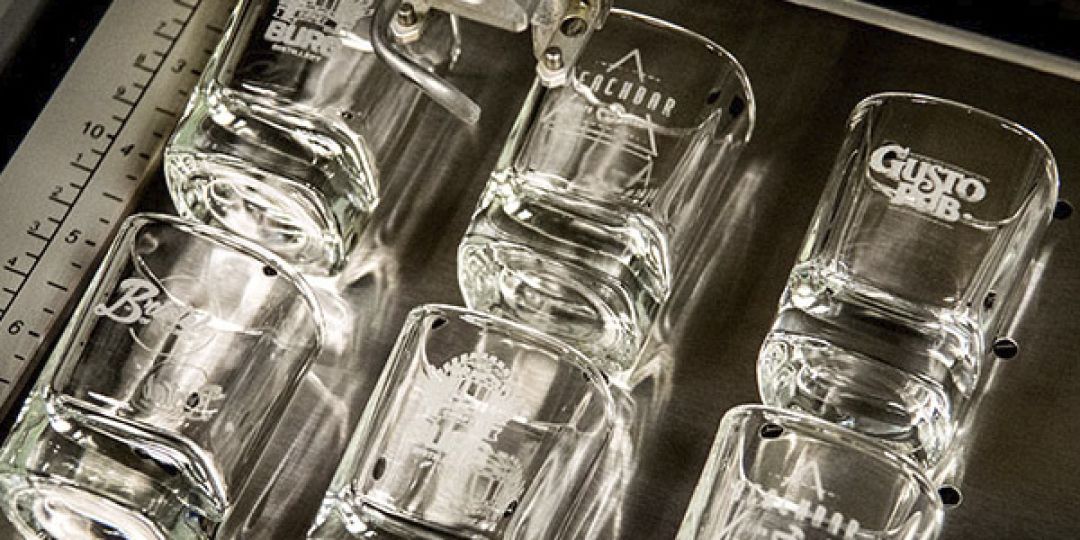
Proper preparation is crucial for achieving clean, professional results. Here’s how to prep your glass:
-
Clean Thoroughly: Use glass cleaner to remove dust, fingerprints, and grease. Any residue can cause uneven engraving.
-
Masking: Apply laser-resistant tape to protect areas you don’t want engraved. This also helps reduce chipping.
-
Check Thickness: Ensure the glass fits your machine’s Z-axis range. The Reno45 Pro can handle thicker pieces up to 100mm.
-
Stabilize: Place the glass securely on a flat platform or honeycomb base to avoid movement during engraving.
Step-by-Step Guide on How to Engrave on Glass

Learning how to engrave on glass requires patience and practice. Follow these steps for best results:
1. Design Your Artwork
Use vector-based software like LightBurn or Autolaser to create your design. Ensure the lines are crisp and the resolution is high.
2. Set Up Your Machine
-
Turn on your Reno45 Pro
-
Adjust the Z-axis to match the glass thickness
-
Use the magnetic assisted autofocus to ensure perfect focus
3. Adjust Laser Settings
-
Start with lower power settings and test on a scrap piece
-
Set the speed according to the detail and depth you want
-
Use multiple passes if necessary for deeper engravings
4. Execute the Engraving
-
Start the machine and monitor the process
-
Avoid touching the glass until it has fully cooled
-
Remove any tape or protective layers carefully
5. Finishing Touches
-
Clean the engraved area gently with a microfiber cloth
-
Optional: apply a sealant to protect your design
Tips for Professional Glass Engravings
-
Use vector graphics instead of raster images for sharper lines
-
Start with small projects to practice speed and power settings
-
Avoid using colored or reflective glass until you are confident with clear glass
-
Always wear safety glasses and ensure proper ventilation
Why Monport Machines Stand Out
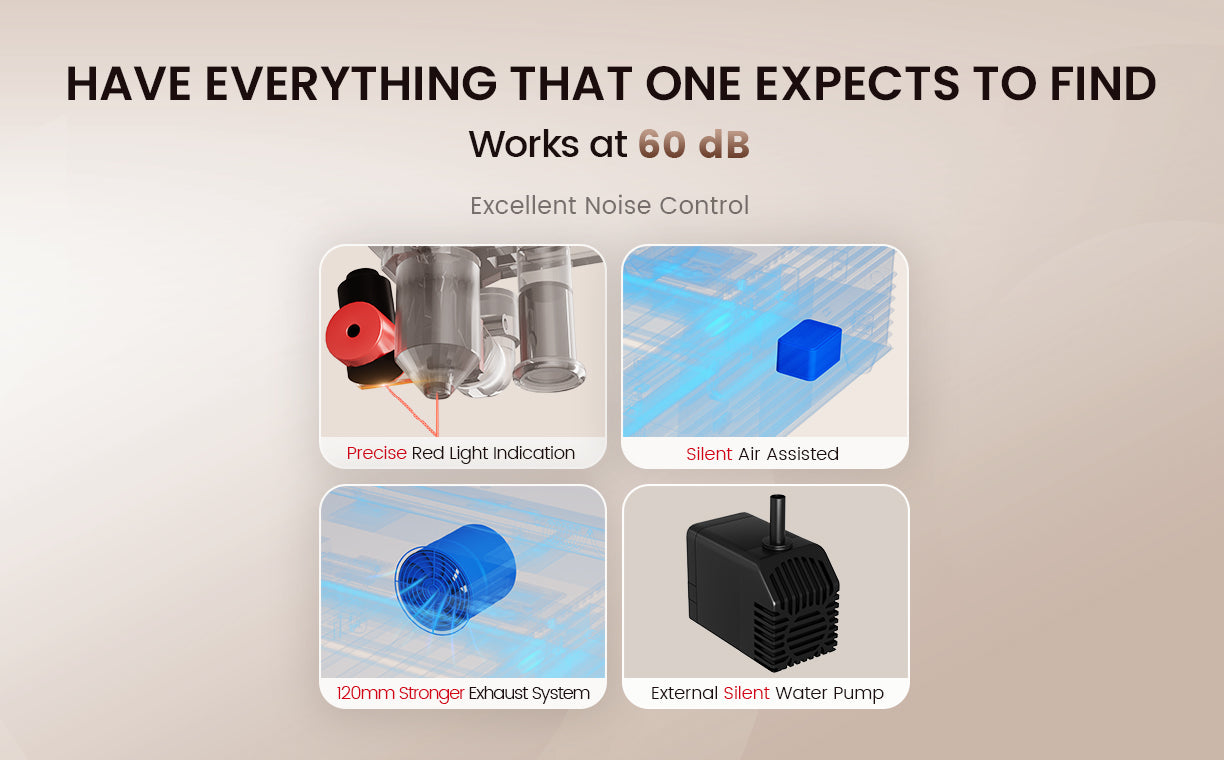
Monport has invested over 18 months in refining their desktop lasers, making the Reno45 Pro one of the most efficient and reliable CO2 engravers on the market. Features that set it apart include:
-
Truly Powerful Laser Tubes: Capable of cutting acrylic up to 15mm
-
Efficient Mechanics: Custom motors and lightweight slides for speed and precision
-
Spacious Design: Large working area and dual platforms
-
User-Friendly Interface: LCD control panel and software support for beginners
With Monport, learning how to engrave on glass is intuitive, fast, and enjoyable.
Frequently Asked Questions (FAQs)
1. Can beginners use the Reno45 Pro for glass engraving?
Yes, its magnetic assisted autofocus and easy-to-use software make it beginner-friendly.
2. How thick of a glass can it handle?
The Z-axis supports up to 100mm, suitable for most decorative and functional glass pieces.
3. Is it safe to engrave clear and tinted glass?
Yes, but reflective or mirrored glass may require test adjustments to power settings.
4. How long does engraving take?
Speed depends on the design complexity, but the Reno45 Pro can engrave at 600mm/s.
5. Can it engrave on other materials?
Yes, it can handle acrylic, wood, leather, and more, making it versatile for multi-material projects.
Key Takeaways
-
Laser engraving is safer, faster, and more precise than traditional methods
-
Preparation of glass is key to achieving clean designs
-
Monport Reno45 Pro is ideal for beginners and professionals, thanks to autofocus and high-speed performance
-
Start with test pieces before moving on to final projects
-
Use vector designs for sharper, more detailed engravings
Conclusion
Mastering engraving on glass is about having the right tools, learning proper techniques, and practising patience. Using a high-quality machine like the Monport Reno45 Pro ensures professional results, whether you’re personalising gifts or creating products for sale. This guide gives you the confidence and steps to start creating stunning engraved glass pieces today.
AUBLOG888 – Use this for exclusive discounts on your Monport Reno45 Pro CO2 Laser Engraver.

