




 GPro 100W
 GA 100W
 GM Pro 60W
 Reno 65W
 Reno 65W Pro
 Reno 45W

Beginner’s Guide to Laser Engraving on Wood
8%
off
Hurry! Offer Ends Soon!
CODE: AUBLOG888
COPY
CODE
CODE
Thinking about starting your engraving journey? Whether you’re a small business owner, DIY enthusiast, or creative crafter, laser engraving wood is a rewarding and profitable skill. Understanding how to engrave wood with laser machine is the first step toward producing detailed designs, business signage, gifts, and custom wood items that leave a lasting impression.
Among the many laser engraving tools available, Monport stands out for its performance, affordability, and beginner-friendly setup. Especially the Monport 40W Pro Lightburn-Supported CO2 Laser Engraver & Cutter, which offers exceptional precision, advanced features, and versatility at an excellent price point. If you’re new to laser engraving wood, this guide will help you get started with confidence.
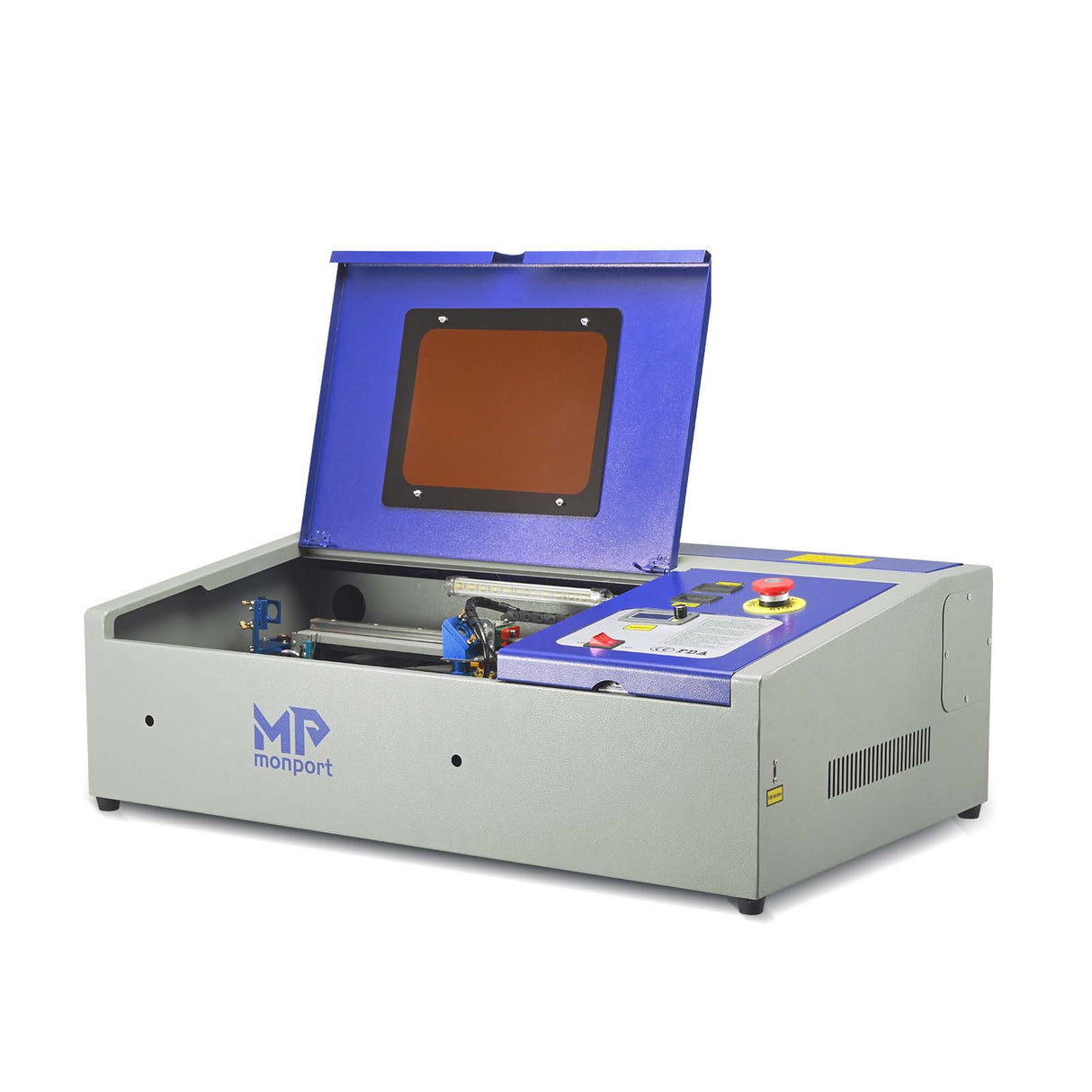
Monport 40W Pro Lightburn-Supported (12" X 8") CO2 Laser Engraver & Cutter with Air Assist - 40W Pro

Understanding the Basics of Laser Engraving Wood
To master laser engraving wood, it’s important to understand how it works. A CO2 laser uses a high-intensity beam of light to remove or burn the surface of the wood, producing a dark, engraved image or text. The result is a permanent design with crisp detail. Different woods react differently depending on grain, moisture content, and resin levels, so it’s crucial to experiment and choose the right wood for each project.
Knowing how to engrave wood with laser machine allows you to work with materials like plywood, hardwood, and MDF. Monport’s CO2 lasers are ideal for engraving these materials due to their speed, precision, and ease of use. The built-in air assist on the Monport 40W Pro, for example, helps minimize burn marks and discoloration, ensuring clean, high-contrast engravings every time.
Monport 40W Pro: The Best Machine for Laser Engraving Wood
If you’re wondering which machine is best for learning how to engrave wood with laser machine, look no further than the Monport 40W Pro. Below is a detailed breakdown of what makes this laser engraver the top pick for beginners and professionals alike:
| Feature | Monport 40W Pro |
|---|---|
| Work Area | 12” x 8” (200x300 mm) |
| Speed | Up to 350mm/s |
| Accuracy | 0.01 inches |
| Software | Compatible with Lightburn & Laser GRBL |
| Built-in Air Assist | Yes |
| Laser Head | 19mm Adjustable |
| Rails | Professional-grade metal |
| Guidance | Red Dot Guidance |
| Work Bed | Dual work bed (Clamp + Vented Level Board) |
| Ventilation | Built-in exhaust fan |
| Material Compatibility | Wood, acrylic, leather, glass, etc. |
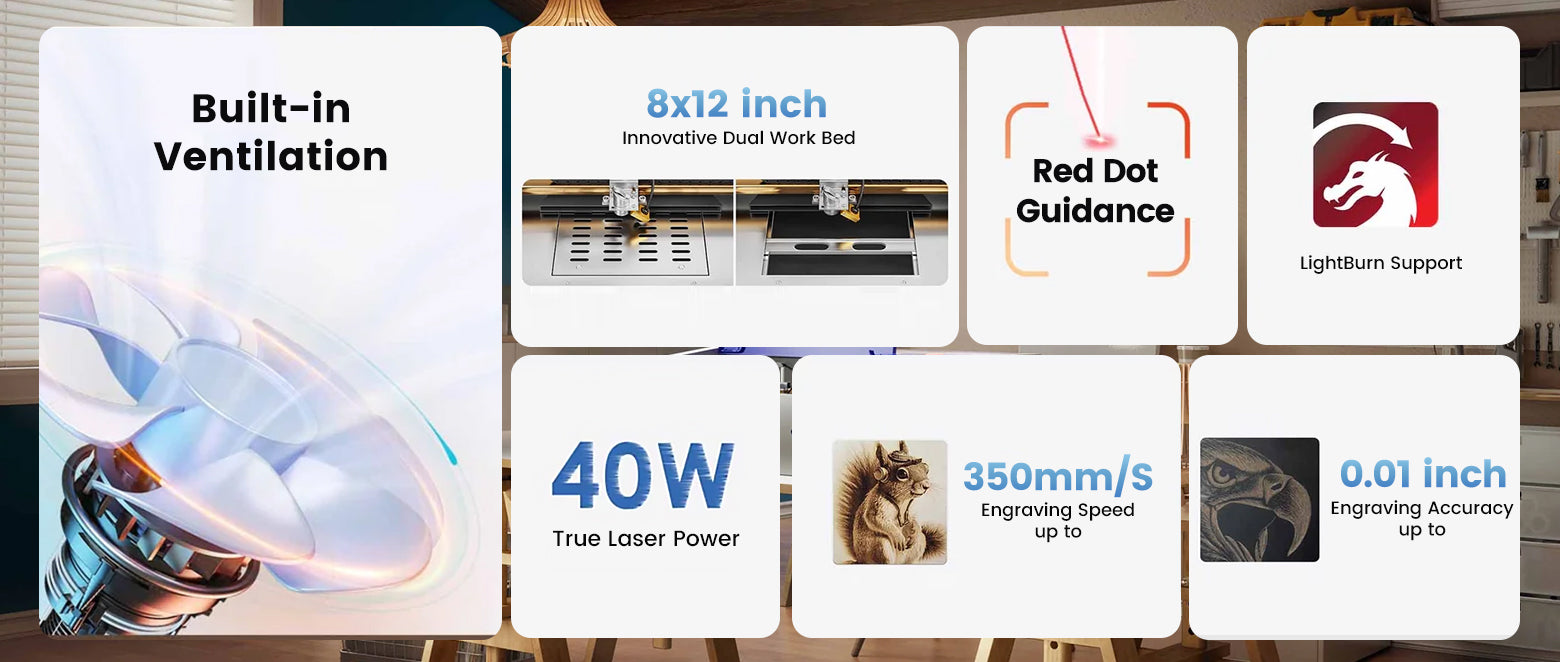
What sets the Monport 40W Pro apart is the Lightburn compatibility, giving you full creative control with one of the best software tools in the industry. The built-in air assist keeps your wood surfaces clean and burn-free, delivering sharp details. Plus, its dual work bed and red dot guidance help users line up cuts and engravings with unmatched accuracy—ideal for intricate designs on wooden jewelry boxes, signage, and decorative items.
Ready to get started? Visit Monport Australia and shop the 40W Pro to bring your wood engraving ideas to life!
How to Engrave Wood with Laser Machine: Step-by-Step for Beginners
For those starting out in laser engraving wood, here’s a clear step-by-step guide:
-
Choose Your Wood: Basswood, alder, birch, and cherry offer excellent engraving results.
-
Prepare Your Design: Use Lightburn to import, scale, and set parameters for your artwork.
-
Prepare the Surface: Sand the wood lightly, clean off dust or oils, and secure it on the work bed.
-
Adjust Machine Settings: For the Monport 40W Pro, set power and speed based on wood type—typically, lower speed and moderate power yield better contrast.
-
Engrave and Finish: Use the built-in air assist to reduce smoke, then wipe the surface after engraving.
These simple steps make it easy to understand how to engrave wood with laser machine, even if you’ve never used one before. The Monport machine's ease of setup and intuitive operation will give you confidence from day one.
Creative Ideas Using Monport for Laser Engraving Wood Projects
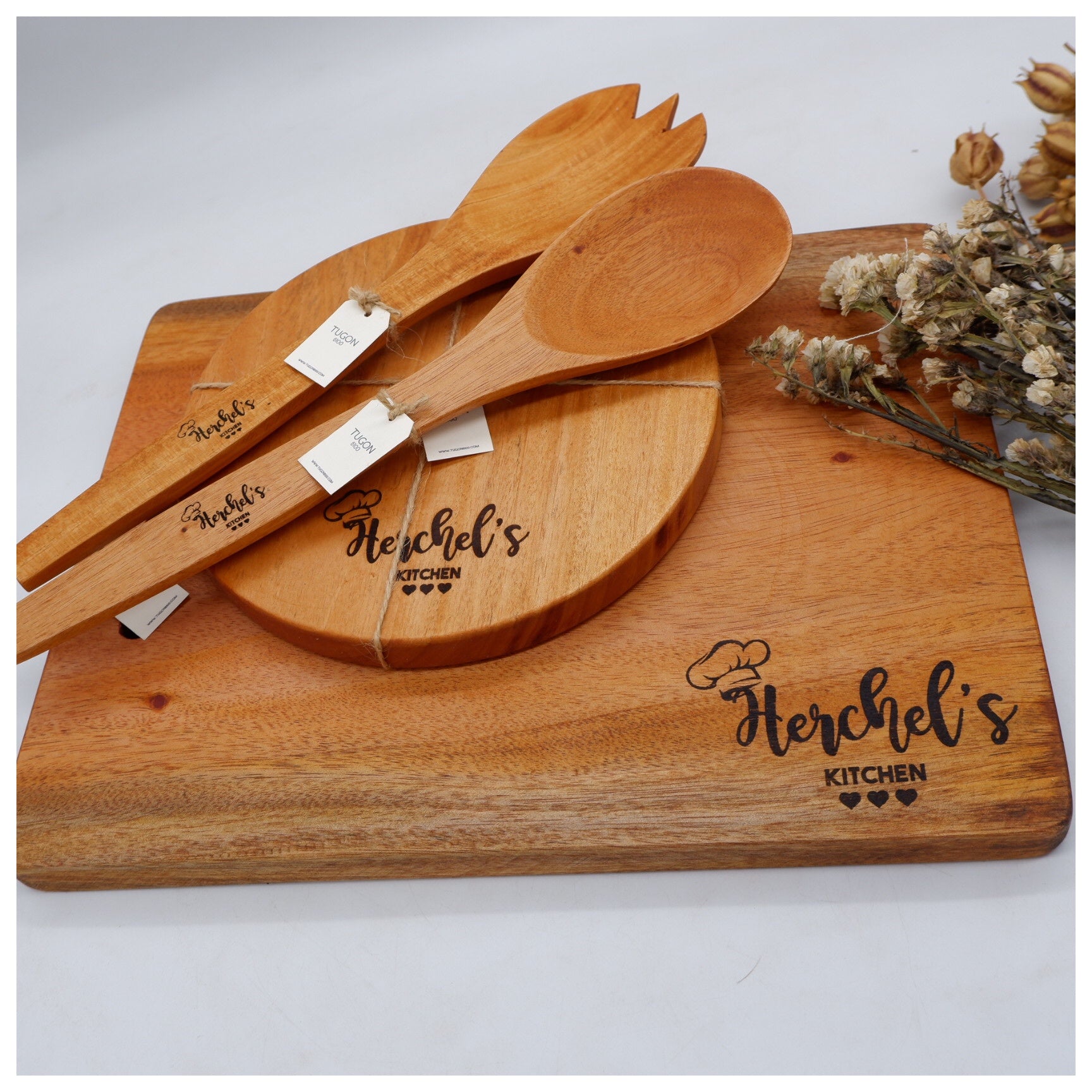
With a Monport 40W Pro, there are countless ways to apply your new skills in laser engraving wood. Here are just a few ideas:
-
Personalised cutting boards for weddings or gifts
-
Engraved name signs for kids’ rooms or businesses
-
Wooden phone stands, coasters, and décor
-
Custom bookmarks, tags, and ornaments
-
Wooden packaging for product branding
Each project is a great opportunity to refine your skills and grow your business or hobby. Monport’s advanced features like Red Dot Guidance and precision rails make detailed designs possible, even on irregular surfaces.
Transform your craft today—choose the Monport 40W Pro CO2 laser engraver and start engraving stunning wooden projects with ease.
Maintenance, Safety, and Machine Longevity

Keeping your Monport machine in top shape ensures long-term success in laser engraving wood. Here are key practices:
-
Clean mirrors and lenses after every 10 hours of use
-
Use proper ventilation to reduce smoke and fume buildup
-
Check for clogs in the air assist nozzle
-
Avoid over-burning by testing settings before final runs
Monport machines are built with durable components like metal rails and upgraded mirror holders, reducing maintenance needs and increasing lifespan. And with Lightburn compatibility, software updates are easy to manage and future-proof.
Key Takeaways
-
Laser engraving wood is easy and rewarding with the right tools and knowledge.
-
Monport 40W Pro is the ideal entry-level machine, offering precision, speed, and professional-grade features.
-
Understanding how to engrave wood with laser machine includes learning design prep, material handling, and proper safety.
-
Monport's built-in air assist, Lightburn compatibility, and dual work bed design set it apart from competitors.
-
With low maintenance and creative flexibility, the Monport 40W Pro is the best investment for beginners.
Q&A: Everything You Need to Know About Monport
Q: Is the Monport 40W Pro suitable for complete beginners?
A: Yes, it’s designed with user-friendly features like Red Dot Guidance and dual work beds, making it ideal for those just starting out in laser engraving wood.
Q: Can I use the Monport 40W Pro to cut wood too?
A: Absolutely. With the right settings, you can both engrave and cut thin wood sheets, opening even more creative possibilities.
Q: What makes Monport better than other laser engravers?
A: Monport offers unbeatable value with pro-level features like Lightburn compatibility, air assist, and industrial-grade components—all at an affordable price for hobbyists and small businesses.
Q: How long does it take to learn how to engrave wood with laser machine?
A: Most users become comfortable within a few days of practice, especially with Monport’s intuitive setup and strong community support.
Conclusion
Laser engraving on wood doesn’t have to be intimidating. With the Monport 40W Pro CO2 Laser Engraver & Cutter, even beginners can achieve high-precision results, explore creative projects, and turn their passion into profit. Whether you're engraving gifts, décor, or products for sale, this machine provides the speed, accuracy, and control you need.
Don’t wait—start your engraving journey with Monport today and bring your wooden creations to life!

